9 Best CCTV Cloud Storage Alternatives in 2026
 Written By
Abhay Pratap Singh
Published On
August 22, 2026
Reading Time
14 minutes
Written By
Abhay Pratap Singh
Published On
August 22, 2026
Reading Time
14 minutes
 Review By
Net2secure Tech Team
Review By
Net2secure Tech Team
Modern CCTV systems generate much more data than traditional surveillance setups. With Full HD and 4K cameras, continuous recording, motion detection, and multi-camera installations, businesses can quickly accumulate large volumes of video footage.
Storing all this footage only on local DVRs or NVRs can create several challenges. Hardware failures, physical damage, theft, limited storage capacity, and difficulty accessing recordings remotely can put important surveillance data at risk.
CCTV cloud storage provides an alternative by moving or backing up surveillance footage to secure off-site infrastructure. This can provide scalable storage, remote access, improved redundancy, and easier management across multiple locations.
In this guide, we compare 9 of the best CCTV cloud storage alternatives in 2026, including Net2Secure, Backblaze B2, Wasabi, AWS, Microsoft Azure, Google Cloud, IDrive e2, Cloudflare R2, and DigitalOcean Spaces.
What Is CCTV Cloud Storage?
CCTV cloud storage is a method of storing surveillance recordings on secure, off-site cloud infrastructure instead of relying entirely on the hard drives inside a local DVR or NVR. A typical CCTV cloud storage architecture looks like this:
CCTV Camera → NVR / VMS / Gateway → Internet → Cloud Storage → Remote Access
Depending on the surveillance system and business requirements, footage can be uploaded continuously, stored when motion is detected, or transferred according to a scheduled backup policy.
Cloud storage can also work alongside existing local storage. For example, recent footage can remain on the local NVR while older recordings are automatically transferred to cloud storage for long-term retention.
Why Businesses Are Moving CCTV Footage to the Cloud
Cloud-based CCTV storage can provide several advantages over relying exclusively on local recording infrastructure.
Remote Access: Authorized users can access recordings from different locations without physically visiting the site where the DVR or NVR is installed.
Better Disaster Protection: If a local recorder is damaged by fire, flooding, electrical failure, or theft, footage stored separately in the cloud can remain available.
Scalable Storage: Businesses can increase storage capacity as the number of cameras and required retention period grows without repeatedly replacing local hard drives.
Multi-Location Management: Organizations operating stores, offices, warehouses, campuses, or branches can centralize surveillance archives and simplify monitoring.
Flexible Retention: Cloud infrastructure can support different retention requirements, allowing organizations to retain footage for longer periods when required.
Local DVR/NVR vs Cloud CCTV Storage
Both local and cloud storage have advantages. The right option depends on factors such as budget, bandwidth, retention requirements, security policies, and the number of locations involved.
| Evaluation Factor | Local DVR/NVR Storage | Cloud CCTV Storage |
|---|---|---|
| Initial Infrastructure | Higher hardware requirement | Lower physical infrastructure requirement |
| Recurring Storage Cost | Usually limited to maintenance | Usually subscription or usage-based |
| Hardware Failure Risk | Higher if dependent on local drives | Lower with redundant cloud storage |
| Physical Theft/Fire Risk | Higher | Lower because data is stored off-site |
| Storage Expansion | Requires additional hardware | Can scale as requirements grow |
| Remote Access | Requires additional configuration | Designed for remote accessibility |
| Multi-Site Management | Can be complex | Easier to centralize |
| Internet Dependency | Lower for local recording | Higher for cloud uploads |
| Disaster Recovery | Requires separate backup | Off-site storage can simplify recovery |
| Long-Term Retention | Limited by local capacity | Easier to extend retention |
Detailed Comparison of CCTV Cloud Storage Providers
For businesses evaluating providers beyond basic storage capacity, factors such as bandwidth charges, API compatibility, scalability, and deployment flexibility can be equally important.
| Provider | Primary Target / Use Case | Egress & Bandwidth Considerations | S3 API Compatible? | Scalability |
|---|---|---|---|---|
| Net2Secure | Indian enterprises, retail, warehouses, offices, and multi-site operations | Predictable regional transfer options depending on deployment | Custom / managed setups | High; retention can be tailored |
| Backblaze B2 | Off-site NVR and IP camera backups | Designed for cost-effective object storage | Yes | High |
| Wasabi | Hybrid CCTV and VMS environments | Known for a simple storage pricing model | Yes | High |
| Amazon S3 | Enterprise surveillance and AI applications | Usage-based transfer and retrieval considerations | Native | Extremely high |
| Microsoft Azure Blob Storage | Microsoft enterprise environments | Usage-based network and storage costs | Not natively S3 | Extremely high |
| Google Cloud Storage | AI-driven video analytics | Usage-based network and retrieval considerations | Compatible through tools/integrations | Extremely high |
| IDrive e2 | IP cameras, NVRs, and S3-based applications | Storage and transfer model depends on plan | Yes | High |
| Cloudflare R2 | Frequently accessed video and web applications | Designed without standard egress bandwidth charges | Yes | High |
| DigitalOcean Spaces | Developers and small businesses | Includes bandwidth allowance depending on plan | Yes | Moderate to high |
Pricing, bandwidth policies, storage limits, and service features can change over time. Businesses should verify the current provider terms before making a purchasing decision.
Detailed Breakdown of the 9 Best CCTV Cloud Storage Providers
To help you choose the ideal cloud architecture for your security infrastructure, here is a detailed look at the leading CCTV cloud storage providers in 2026. Each profile highlights primary use cases, core advantages, potential limitations, and architectural roles ranging from cost-effective off-site NVR backups to advanced enterprise AI video analytics pipelines.
1. Net2Secure
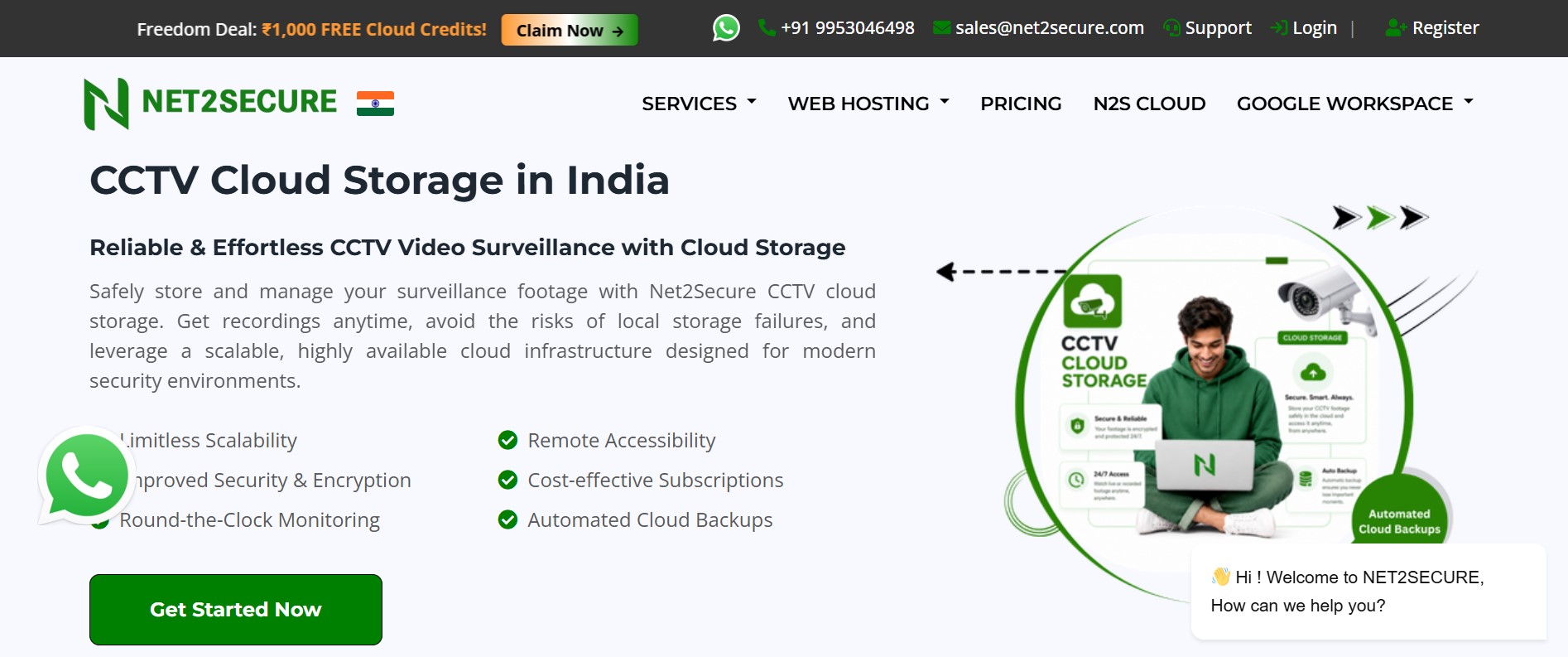
Net2Secure provides cloud infrastructure designed to support businesses that need secure and scalable storage for surveillance footage and other business-critical data.
For organizations operating multiple CCTV locations, cloud-based storage can simplify centralized management while reducing dependence on a single physical recorder. Businesses can define retention requirements according to their surveillance needs and expand storage as camera deployments grow.
Key Advantages
- India-focused cloud infrastructure
- Scalable CCTV storage
- Centralized multi-location management
- Managed infrastructure options
- Secure data storage
- Flexible retention requirements
- Local technical support
- Suitable for businesses with multiple surveillance locations
Limitation: Businesses looking for a massive global cloud ecosystem with thousands of specialized developer services may find hyperscale platforms such as AWS or Google Cloud more suitable for broader application workloads.
Best For: Indian businesses, multi-site retail, warehouses, healthcare organizations, educational campuses, and enterprises.
2. Backblaze B2
Backblaze B2 is an object storage platform that supports the S3 API, making it compatible with many applications and backup systems.
It can be used as an off-site storage destination for surveillance footage generated by local NVR systems.
Key Advantages
- S3-compatible object storage
- Suitable for off-site backups
- Scalable storage
- Developer-friendly integrations
- Useful for long-term archives
Limitation: Backblaze B2 is primarily storage infrastructure rather than a complete CCTV video management platform. Businesses may need a compatible NVR, VMS, or integration layer.
Best For: Cost-conscious businesses requiring off-site NVR or IP camera backups.
3. Wasabi
Wasabi provides cloud object storage that can complement existing surveillance infrastructure. Businesses can maintain frequently accessed footage locally while moving older recordings to cloud storage for longer-term retention.
Key Advantages
- S3-compatible storage
- Suitable for hybrid architectures
- Simple cloud storage model
- Useful for VMS integrations
- Scalable storage
Limitation: The exact integration experience depends on the VMS, NVR, and surveillance architecture being used.
Best For: Businesses using hybrid CCTV and VMS environments.
4. Amazon S3
Amazon S3 is a highly scalable object storage service that can be integrated with other AWS services for analytics, automation, monitoring, and machine learning.
For advanced surveillance systems, recorded footage can become part of a larger data-processing pipeline.
Key Advantages
- Highly scalable infrastructure
- Multiple storage classes
- Extensive cloud ecosystem
- Integration with analytics and AI services
- Strong automation capabilities
Limitation: AWS can require more technical expertise than a specialized managed CCTV storage services. Its usage-based pricing can also make total costs more difficult to estimate without careful monitoring.
Best For: Large enterprises and organizations building custom surveillance applications.
5. Microsoft Azure Blob Storage

Azure Blob Storage provides scalable object storage for large volumes of unstructured data, including video archives.
Businesses using Microsoft identity, security, analytics, and cloud infrastructure can integrate CCTV data into their existing environment.
Key Advantages
- Strong Microsoft ecosystem integration
- Multiple storage tiers
- Enterprise scalability
- Security and governance capabilities
- Suitable for large video archives
Limitation: Azure may introduce more configuration complexity than necessary for businesses that only require straightforward CCTV backups.
Best For: Organizations already using Microsoft technologies.
6. Google Cloud Storage
Google Cloud Storage can serve as the storage layer for surveillance applications that process large volumes of video data.
It can be particularly useful when organizations want to integrate stored footage with machine learning, analytics, and automated processing workflows.
Key Advantages
- Highly scalable object storage
- Strong data analytics ecosystem
- AI and machine learning integrations
- Suitable for large video datasets
- Flexible storage options
Limitation: It is generally better suited to technically capable teams than businesses that only need basic CCTV backup storage.
Best For: Businesses combining CCTV footage with AI and video analytics.
7. IDrive e2
IDrive e2 provides object storage with S3 API compatibility, allowing it to work with applications and systems designed around the S3 standard.
It can be considered for IP camera archives, NVR backups, and other surveillance storage workflows.
Key Advantages
- S3 compatibility
- Simple object storage
- Scalable capacity
- Suitable for backup workflows
- Useful for compatible surveillance systems
Limitation: Integration depends on whether the specific NVR, camera platform, or VMS supports the required storage configuration.
Best For: S3-compatible IP camera and NVR storage.
8. Cloudflare R2
Cloudflare R2 is an S3-compatible object storage platform designed with an emphasis on reducing data egress costs.
For surveillance applications where authorized users frequently retrieve or stream stored footage, this can be an important consideration.
Key Advantages
- S3-compatible API
- No standard egress bandwidth charges
- Suitable for frequently accessed data
- Integration with Cloudflare services
- Scalable object storage
Limitation: It may require additional configuration or middleware when connecting directly to CCTV hardware that does not support compatible APIs.
Best For: Applications where stored video is frequently accessed or delivered.
9. DigitalOcean Spaces

DigitalOcean Spaces provides S3-compatible object storage through a relatively simple developer-focused interface.
It can be used as part of a custom application that stores surveillance clips, backups, or other video data.
Key Advantages
- Simple management interface
- S3-compatible storage
- Developer-friendly environment
- Predictable infrastructure model
- Suitable for smaller deployments
Limitation: DigitalOcean Spaces is not a dedicated CCTV management platform, so businesses may need additional software for recording, monitoring, user management, and video analytics.
Best For: Developers, startups, and small businesses building custom surveillance applications.
How Much Cloud Storage Does CCTV Footage Need?
The amount of cloud storage required depends on several factors, including the number of cameras, resolution, bitrate, recording schedule, compression technology, and retention period.
A basic calculation can be made using:
Required Storage (GB) ≈ (Cameras × Bitrate (Mbps) × 3600 × Hours/Day × Days) / (8 × 1000)
Example: 10 CCTV Cameras
Assume:
- Number of cameras: 10
- Average bitrate: 4 Mbps
- Recording: 24 hours/day
- Retention: 30 days
Approximate requirement:
- One camera: 43.2 GB/day
- 10 cameras: 432 GB/day
- 30 days: Approximately 12.96 TB
Actual requirements can vary considerably depending on compression, camera settings, motion detection, and scene complexity.
For example, motion-triggered recording can significantly reduce both storage consumption and network bandwidth compared with continuous 24x7 recording.
What Affects CCTV Cloud Storage Requirements?
Several factors should be considered before estimating storage capacity to ensure your cloud infrastructure meets operational and budgetary needs.
- Camera Resolution: 4K cameras generally produce significantly more data than 1080p or 720p cameras. Higher resolutions capture finer visual details, but they also drastically multiply the byte count generated per frame.
- Video Bitrate: Higher bitrates improve overall image clarity and reduce video artifacts, but they directly increase storage requirements. Whether your cameras utilize Constant Bitrate (CBR) or Variable Bitrate (VBR), higher data throughput elevates raw storage consumption.
- Frame Rate (FPS): Capturing video at 30 frames per second (fps) delivers smooth motion playback, but it generates double the data of a 15 fps stream. Lowering frame rates in static areas such as emergency stairwells or low-traffic hallways optimizes storage without sacrificing security context.
- Recording Schedule: Continuous 24/7 recording requires considerably more storage space and network uplink capacity than motion-triggered or schedule-based recording modes.
- Retention Period: Storage demands scale linearly with time. Keeping video archives for 7 days requires vastly less cloud storage capacity than maintaining compliance-driven retention windows of 30, 60, or 90 days.
- Compression & Codecs: Modern video compression codecs like H.265 (HEVC) or AV1 can reduce storage and bandwidth demands by 30% to 50% compared to legacy H.264 encoding while preserving image quality. Smart scene-aware compression further optimizes stream size dynamically.
- Scene Complexity & Activity Levels: High-motion environments (such as busy retail checkout counters or active highway intersections) generate larger file sizes under VBR settings compared to quiet, low-activity environments (like empty warehouses overnight).
- Number of Cameras: Total cloud capacity demands scale directly with every additional IP camera node integrated into the surveillance network.
Key Factors to Consider When Choosing CCTV Cloud Storage
Choosing a provider should involve a comprehensive evaluation beyond simply comparing advertised monthly gigabyte rates.
- Total Cost of Ownership (TCO): Evaluate the complete cost profile beyond base storage fees. Factor in per-camera seat licensing, egress network bandwidth charges, API request fees (PUT/GET operations), video retrieval fees, and technical support costs rather than looking at the base storage price alone.
- Security & Encryption: Look for end-to-end security controls including TLS 1.3 encryption for data in transit, AES-256 encryption at rest, strict Role-Based Access Controls (RBAC), Multi-Factor Authentication (MFA), and immutable audit logs to protect sensitive surveillance feeds.
- Data Location & Compliance: Businesses operating in India should evaluate where their surveillance data is physically hosted and ensure the provider's infrastructure aligns with data sovereignty laws (such as the DPDP Act), local regulatory frameworks, and enterprise compliance rules.
- Retention Policies & Lifecycle Rules: Determine how long footage must remain accessible and whether the provider offers automated lifecycle management such as automatically offloading 30-day-old footage to cost-effective cold or archive storage tiers.
- Bandwidth Requirements & Uplink Limits: Continuous CCTV uploads consume substantial uplink bandwidth, especially with high-density camera deployments. Ensure your local internet connectivity can support peak upload speeds without causing network congestion or dropped video frames.
- NVR/VMS & S3 Compatibility: Check whether your existing CCTV hardware, ONVIF cameras, or Video Management Software (VMS) supports direct integration with the cloud hosting provider via open standards or universal S3 API interfaces.
- Scalability & Elasticity: Select a cloud services that can seamlessly scale storage capacity, add new camera streams, and extend retention windows on demand without requiring physical hardware upgrades or costly re-architecting.
- Technical & Managed Support: For organizations without specialized internal cloud management teams, responsive managed support simplifies onboarding, system integration, network optimization, and daily troubleshooting.
Who Should Use CCTV Cloud Storage?
CCTV cloud storage provides resilient, redundant, and highly accessible off-site surveillance capabilities across a wide range of industries and commercial environments.
- Retail Stores: Store surveillance footage centrally across multi-branch retail chains, simplify historical footage retrieval for loss prevention teams, and protect video archives against physical NVR theft during break-ins.
- Warehouses & Logistics Hubs: Monitor vast perimeter zones, secure high-value inventory distribution hubs, and maintain long-term archival records for liability, safety compliance, and supply chain audits.
- Corporate Offices & Real Estate: Safeguard critical security recordings off-site away from physical local hardware, centralize access control views, and streamline monitoring across multiple regional workplace locations.
- Educational Institutions: Centralize campus-wide surveillance across classrooms, administrative blocks, entry gates, parking facilities, and sports grounds through a single administrative cloud dashboard.
- Healthcare Organizations: Maintain encrypted, audit-ready surveillance archives across hospital wings, outpatient clinics, and pharmacies while adhering to strict patient privacy and healthcare security standards.
- Financial Institutions & Banks: Protect high-security ATM networks and banking branch feeds with off-site data redundancy, immutable record retention, and centralized compliance logging.
- Construction Sites & Remote Assets: Deploy mobile or cellular-connected camera units to stream video directly to cloud buckets, bypassing the need for vulnerable on-site physical recorders in temporary or harsh environments.
- Multi-Location Businesses: Unify fragmented surveillance hardware from distributed branches, regional hubs, and franchises into a single, centralized management console for real-time visibility anywhere.
Which CCTV Cloud Storage Provider Should You Choose?
The best provider depends on your specific requirements.
| Requirement | Recommended Provider |
|---|---|
| Indian business with managed CCTV storage requirements | Net2Secure |
| Cost-effective off-site object storage | Backblaze B2 |
| Hybrid VMS and cloud archive | Wasabi |
| Large enterprise cloud ecosystem | Amazon S3 |
| Microsoft-based enterprise environment | Azure Blob Storage |
| AI and video analytics workloads | Google Cloud Storage |
| S3-compatible surveillance storage | IDrive e2 |
| Frequently accessed video archives | Cloudflare R2 |
| Developer-led custom deployment | DigitalOcean Spaces |
Final Verdict
CCTV cloud storage can provide businesses with a more flexible approach to surveillance data management by reducing dependence on a single local recorder and enabling scalable off-site storage.
For businesses in India, Net2Secure can be a strong choice when the priority is localized cloud infrastructure, scalable CCTV storage, centralized management, and managed technical support.
Businesses looking for general-purpose object storage can consider Backblaze B2 or IDrive e2, while organizations with advanced cloud development requirements may prefer AWS, Azure, or Google Cloud. Wasabi can be useful for hybrid VMS environments, while Cloudflare R2 can be attractive for applications with frequent video retrieval.
The right solution ultimately depends on your camera count, recording quality, retention period, bandwidth availability, security requirements, and integration needs.
By Abhay Pratap Singh
Abhay Singh is a digital marketing strategist, technology writer, and SEO specialist with a passion for helping businesses grow through data-driven digital solutions. He specializes in search engine optimization (SEO), web hosting technologies, cybersecurity trends, cloud computing, website performance optimization, and emerging digital innovations.
With years of experience in content strategy and technical SEO, Abhay has authored numerous in-depth guides, tutorials, and industry insights that help businesses, website owners, and IT professionals navigate the evolving digital landscape. His expertise spans website optimization, DNS management, web hosting infrastructure, cybersecurity best practices, and AI-driven digital marketing strategies.