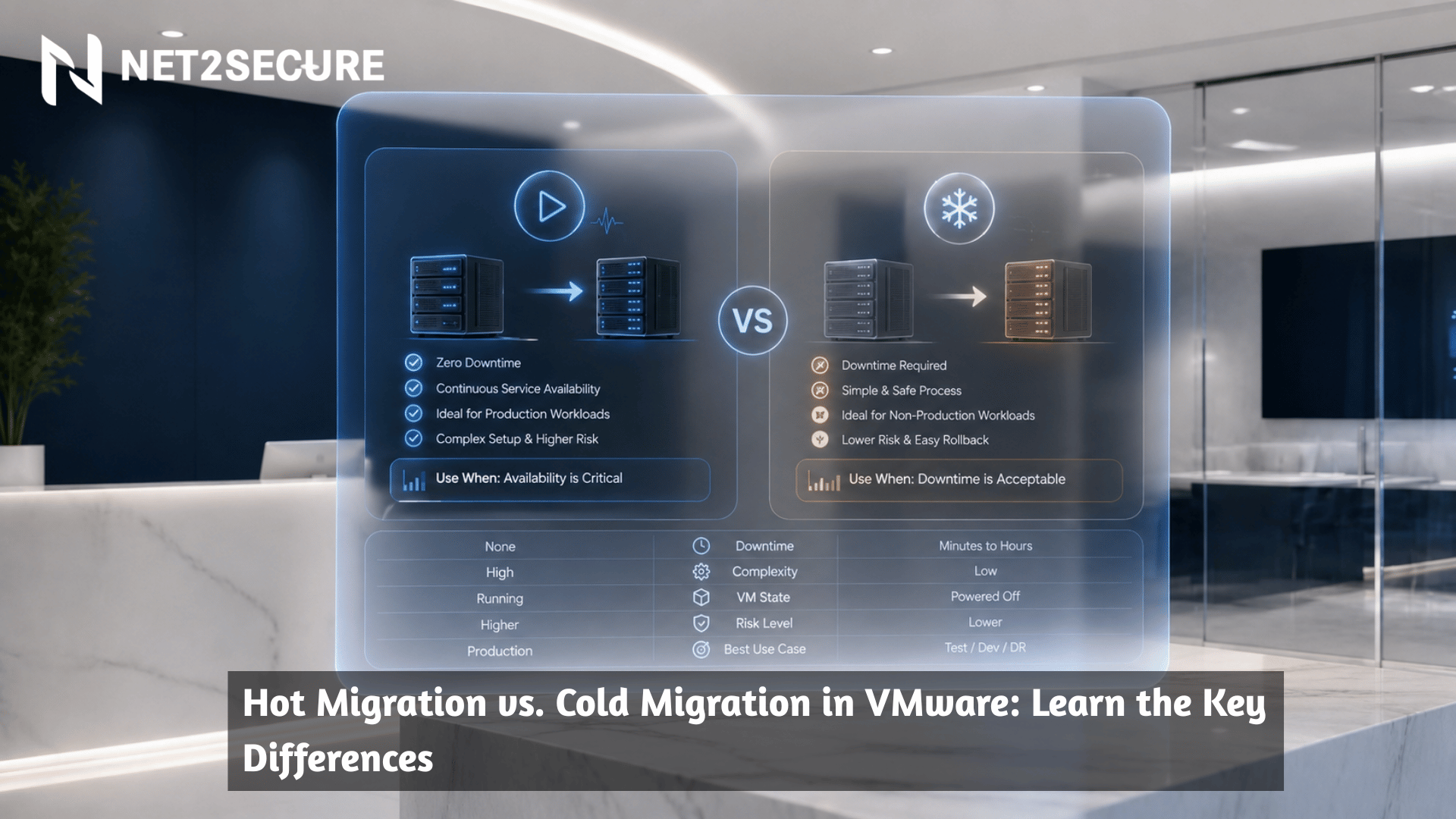



Summary: This blog, powered by Net2Secure, explains the key differences between Hot Migration and Cold Migration in VMware, including their benefits, use cases, downtime impact, and performance considerations. It covers how vMotion and provisioning networks support VM migrations, compares Hot Migration, Cold Migration, and Storage vMotion, and helps IT administrators choose the right migration strategy based on business requirements, infrastructure compatibility, and workload demands.
Imagine you are handling a critical business application operating on a virtual machine. Users are actively working, transactions are being processed, and uptime is non-negotiable. All of a sudden, the underlying host needs maintenance.
Imagine you are handling a critical business application operating on a virtual machine. Users are actively working, transactions are being processed, and uptime is non-negotiable. All of a sudden, the underlying host needs maintenance.
Do you shift the VM while it’s still running, or do you shut it down first and migrate it securely?
To give a straight answer on this, VMware’s migration capabilities come into play. Hot migration and cold migration are two crucial approaches that enable administrators to move virtual machines between hosts, storage systems, or environments. While both conquer the same objective, they differ significantly in terms of downtime, performance, and use cases.
In this blog post, you will learn the key differences between hot migration and cold migration in VMware and help you understand when to use each method. So, without further ado, let’s get started.
Before moving ahead, let’s have a quick look at what you are actually going to learn.
Hot migration shifts active data or virtual machines while powered on, causing zero or minimal disruption. On the other hand, cold migration needs powering off the workload first, resulting in planned downtime. Hot migration prefers uptime, whereas cold migration ensures data regularity with lower network overhead.
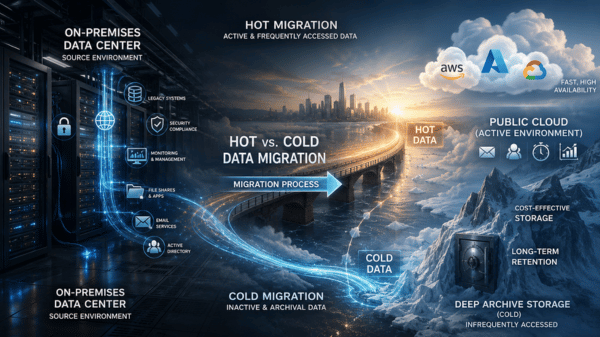
Thus, hot and cold migrations move VMs differently throughout the VMware infrastructure. A hot migration doesn’t need downtime; on the other hand, a cold migration shifts powered-off VMs.
What is a Hot Migration?
The term hot migration refers to a live migration. It is the process of migrating an active workload, like a VM, from one physical machine to another. A vMotion-enabled service begins a hot migration with zero downtime. It enables you to replace or upgrade parts of the VM without a machine or system shutdown.
But keep in mind that hot migrations can risk data corruption. A hot migration also can’t live-migrate VMs between two systems with different CPUs.
Key Benefits of Hot Migration
-
Minimum Downtime: The main benefit of hot migration is its capacity to keep V,s running, thereby lessening downtime.
-
Improved Resource Utilization: Hot migration allows dynamic resource distribution, ensuring that workloads are effectively balanced across the infrastructure.
-
Smooth Maintenance: It enables hardware maintenance and upgrades without affecting VM availability, assisting in better operations.
-
Improved Flexibility: Hot migration offers the flexibility to move VMs as required to optimize performance, respond to changes in demand, or certify high availability.
What is a Cold Migration?
A cold migration happens when you suspend or power off a VM and migrate it between hosts. You can also migrate related disks from one datastore to another. Cold migrations generally move VMs between ESXi hosts with different CPU architectures.
It has a less complex migration process. Cold migrations can lead to downtime because you must power down the system to initiate the process. The major misconception for cold migration and cold data is that the vMotion network is used to do the migration. However, cold data like powered-off virtual machines, clones, and snapshots are migrated over the provisioning network if that is enabled.
Key Benefits of Cold Migration
-
Simplicity: Since the VM is powered off, cold migration skips the challenges associated with moving live data, making the process effortless.
-
No Live Data Transfer: With no active data transfer, there is a slight risk of data corruption or inconsistency.
-
Hardware and Software Compatibility: Cold migration enables migrations between hosts with different hardware or software configurations without compatibility issues that might affect live migrations.
-
Resource Management: Because the VM is powered off, there is no load on the network or other resources during the migration process.
Differentiate Between Hot vs. Cold vs. Storage Motion
| Type | Downtime | What it changes | Best For |
|---|---|---|---|
| Hot Migration ( Compute vMotion) | Near-zero (brief stun possible) | Host (compute) | Host maintenance, balancing, HA operations |
| Cold Migration | Yes (planned) | Host and/or datastore | When vMotion can’t run, hardware changes, cross-boundary moves |
| Storage Motion | Near-zero | Datastore (storage) | Storage maintenance, datastore rebalancing, moving off arrays |
Understand the Network Use Types for Hot and Cold Migrations
You can begin a hot or cold migration for VMware setups through the vCenter Server UI. VSphere has multiple services you can allow on the VMkernel interface: vMotion, provisioning, fault tolerance logging, management, vSphere replication.
VSphere uses three of these enabled services for hot and cold migrations: vMotion, provisioning and management networks. The vSphere VMkernel interface automatically allows the management services, but you can configure vSphere to allow other services. Hot migrations prefer the vMotion-enabled network to live-migrate workloads, while cold migrations use the provisioning network.
VMotion migrates any type of cold data, like VM snapshots and non-child delta disks, and prefers the provisioning network as long as you allow it. If you don’t allow the provisioning network, vSpehere prefers the default management network to move cold data.
How to make the right choice between a hot and cold migration?
Considering a hot and cold migration relies on the level of risk and time you are willing to take. Hot migrations allow you to live-migrate workloads and maintain full access to workload as they move. It leaves VMs insecure to data corruption. Some physical machines, such as Active Directory controllers, are not fit for hot migrations.
Cold migrations permit you power off workloads and move them between hosts to secure data loss. But it leads to long downtimes. SQL servers that update constantly are better off using a cold migration. Knowing your business requirements, time needs and resources you require to finish a migration and you can easily determine which migration type is suited for your organization.
Final Words
Understanding virtual machine migration becomes easier when you learn the difference between hot migration and cold migration. Hot migration, with its assurance of zero downtime, delivers exceptional benefits for maintaining service availability and optimizing resource usage in real-time.
On the other hand, cold migration offers a smooth and more flexible approach for planned maintenance and significant environment changes. In cloud computing, these migration strategies play a significant role in ensuring scalabilit, flexibility, and cost-efficiency, enabling to embrace instantly to altering demands and technological advancements.
By comparing cloud and on-premises migration, we can appreciate the rare benefits and challenges each environment presents, and tailor our strategies accordingly. Preparation and best practices are key to successful migration. Furthermore, troubleshooting common concerns proactively certifies an effortless migration process.
Thus, no matter if you are dealing with hot or cold migrations, in cloud or on-preises environments, a pragmatic approach is crucial. By utiliing the insights and guidelines offered in this complete guide, IT administrators and professionals can confidently handle VM migrations, ensuring the constant performance, reliability, and scalability of their virtualized infrastructure.











.png)