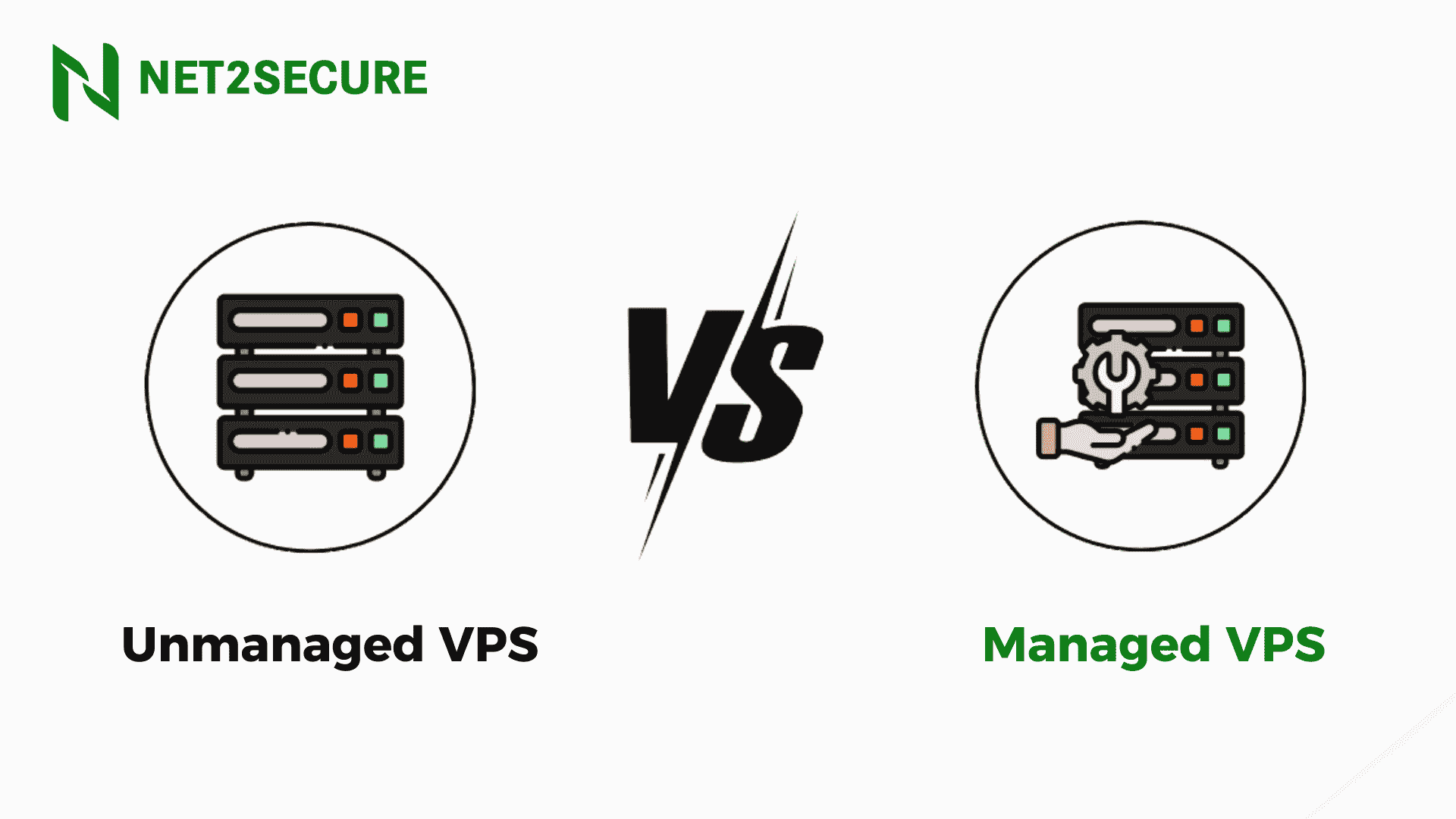
Managed vs Unmanaged VPS: Know the Actual Differences

Fully Managed VPS Server Hosting
Written By Anurag Soam Published On April 16, 2025 Reading Time 7 Minutes Reading

When we talk about VPS hosting, it often feels like walking into a tech bazaar; everything seems strong, but selecting the right option can be tricky. Among the top contenders, Managed and Unmanaged VPS dominate the digital landscape. Apparently, they might seem like two sides of the same coin, but delve deeper, and you will find they are built for entirely different kinds of users.

No matter whether you are an active developer who loves complete control or an occupied entrepreneur who just wants things to work, understanding the main difference between managed and unmanaged VPS could save you time and money. Let’s make it more understandable in the simplest way possible, no tech jargon, no fluff, just pure facts. 

Suppose you have just started an online store, or maybe a SaaS product that is gaining momentum. Traffic is flowing in, orders are buzzing, and your digital presence is finally achieving the attention it deserves. But all of a sudden, what happened? Uh-Oh! An update fails, your site crashes, or your server starts acting up. You are knee-deep in error logs, and your inbox is continuously requesting help. That’s when the reality of hosting hits you, and the battle of Managed VPS vs Unmanaged VPS begins.

Managed VPS hosting is like hiring a dedicated mechanic, like a pit crew. Your hosting provider takes care of everything, including server setup, maintenance, security patches, backups, and performance tuning. They do this so that you can concentrate on your core business operations, and they handle the tech. There is no coding difficulty and no late-night panic fixes. 

Besides, Unmanaged VPS is for the loner, or the developer who wants complete control. It provides you with raw power and full root access, but also full responsibility. In this scenario, you are the captain of the ship, and also the mechanic, security guard, and tech support. In the last few years, Managed VPS has become the finest choice for startups, e-commerce owners, and even growing agencies.

Therefore, if you are on the fence about which one to choose, this blog is going to cover everything running in your mind. But before proceeding further, make sure to understand the term VPS; later will discuss the main differences between Managed and Unmanaged VPS.

VPS Hosting - What Does it Mean?

The term VPS stands for virtual private server refers to a server that provides the same resources as of a dedicated server by using virtualization technology. In a VPS an actual server is separated into multiple servers but virtually. Each of these virtual servers functions as individual servers with dedicated resources. 

It enables them to operate as a stand-alone server. If you select to host your site or application on a VPS, your website will be the only one using that specific virtual server, and you will get your operating system, dedicated storage, CPU, RAM, and bandwidth.

Each VPS account prefers a separate operating system, and you can install different software packages as per your needs. You can either consider a managed VPS or an unmanaged VPS. 

What is Managed VPS?

As the name already describes, in a managed VPS hosting, you do not have to worry about server-related tasks like managing and maintaining your server. Your web hosting provider will be the whole and sole one to take care of all functions of the server.

In spite of knowing the technical expertise of the server and handling it, getting it managed by your hosting provider will lessen your stress in carrying out all the tasks. It is the right decision for those who don’t have enough time to manage their server and want to concentrate only on their core operations. Moreover, it is also worthwhile for those without in-house technical know-how or resources to manage a server. 

Advantages of Managed VPS

    Smooth Support: Server management, updates, and troubleshooting are all controlled by skilled professionals.

  • Automatic Backups & Updates: Regular backups and software updates are done for you, decreasing risk and offering better performance.

  • High-Level Security: Managed VPS plans generally come with pre-configured firewalls, malware scanning, and active threat monitoring.

  • Time-Saving: Managed VPS provides you the liberty to focus on growing your business, while the provider handles server-related tasks.

  • Peace of Mind: If something goes wrong, don’t panic, you are not alone. You have a dedicated team ready to fix things fast and keep your site online.

What is an Unmanaged VPS?


When it comes to unmanaged VPS hosting, you are required to handle the server responsibilities like management and maintenance of the server, and your hosting provider looks into a physical server and its availability. It is necessary to have the technical expertise or a skilled team of experts to manage your server if you go for unmanaged VPS hosting. 

Advantages of Unmanaged VPS

  • Complete Control & Customization: You get root access, enabling you to install, configure, or tweak anything as per your requirements.

  • Affordable: Unmanaged and primarily friendly in budget compared to managed VPS, making it a cost-effective solution for developers and tech nerds.

  • Performance Optimization: Tune your server environment as it is you want it. No limitations or provider-imposed restrictions.

  • Provide Hands-On Learning: It is great for system admins or developers who want to learn Linux, server management, and DevOps practices firsthand.


 Differentiate Between Managed vs.Unmanaged VPS

Managed VPS Unmanaged VPS

You don’t need to acquire any technical expertise.

Strong command and knowledge of servers is a must.

Server-related tasks like maintenance and upgradation are controlled by the hosting provider.

Your hosting provider only takes care of handling the physical server.

It provides you the liberty to invest more time in your business, as there is no need to maintain your server.

In case of unmanaged, you will have to pay equal attention to your business as well as the server.

In a managed VPS, you get technical support from your hosting provider whenever you need it.

If you face any technical issue, it is your responsibility to solve it on your own.

So, Whats the Right Fit for You?

As we are almost near the end of this blog post, we hope that you have a better understanding of both Managed and Unmanaged VPS. But let's be honest, running a business is already a full-time hustle. Whether you are starting your startup or expanding an e-commerce store, the last thing you require is a compact course in server management.

Wondering why are businesses switching to Managed VPS Hosting? The answer lies in simplicity, speed, and security. If words like firewall rules, kernel updates, and command line hang your mind, Managed VPS is the perfect solution. With managed VPS, you are eligible to get technical support that saves you valuable time. Moreover, it enables you to concentrate on your main goal, like managing your team, generating leads, building customer relationships, etc. Simultaneously, if you are concerned about the charges but have a solid command of server management, then no issues in going for an unmanaged VPS.

Conclusion

Deciding between Managed and Unmanaged VPS doesn’t have to be rocket science anymore. If you are someone who prefers coding in the wee hours, enjoys tweaking servers, and knows how to handle unexpected glitches like a professional, opt for an unmanaged VPS. It offers you full control, customization, and a hands-on learning curve that is suited for developers and tech enthusiasts.

But if server;

  • If server errors give you a headache

  • If you would rather boost your brand/website than Google error logs

  • If your time is better spent closing deals, not managing firewalls

Then don’t think too much, simply go for Managed VPS. 
Once you have opted for this, you get a powerhouse hosting setup that is totally managed by experts.

  • Security updates? Done

  • Backups? Automatic

  • Server Monitoring? Day and Night

  • All while you stay concentrated on what matters.

  • So, ruminate about this :

  • Do you want to manage your server?

  • Or do you want to manage your success?

  • Choose smart. Choose Managed VPS.

For more information, look no further than Net2Secure


Frequently Asked Questions

Q1. Who should go for Managed VPS Hosting?

Ans. Managed VPS is perfect for business owners, eCommerce stores, and anyone who wants peace of mind, irrespective of sticking with server-related issues. If you’d rather concentrate on your business than on command lines and updates, no doubt it’s perfect for you.

Q2. What is the main difference between Managed and Unmanaged VPS?

Ans. Managed VPS consists of full server support from your hosting provider, including setup, updates, security, and maintenance. In Uan nmanaged VPS, you are in full control, which means you are also fully responsible for everything technical.

Q3. Is Unmanaged VPS only for developers?

Ans. Almost, yes. Unmanaged VPS is fine for developers or tech professionals who need root access, full customization, and don’t mind handling technical tasks themselves.

Q4. Does Managed VPS cost more than Unmanaged VPS?

Ans. Yes, Managed VPS typically comes at a slightly higher price than unmanaged. But it pays off with expert support, enhanced security, automatic backups, and saved time.

Q5. Can I switch from Unmanaged to Managed VPS later?

Ans. Yes, you can. Many hosting providers offer easy upgrade options. So if you start with unmanaged but find it overwhelming, you can move to a managed plan without hassle.

Anurag Soam

By Anurag Soam

A skilled Technical Content Writer with an unwavering dedication to covering complex concepts and specializing in writing explicit, concise, and SEO-friendly content for diverse audiences. With a solid background in technology, including SaaS, PaaS, IaaS, Documentation, Cloud, Cybersecurity, and DevOps, he’s an expert in curating content that enhances user experience and facilitates product success. He’s constantly updated on the latest industry trends and tools to deliver qualitative technical content.

View all of Anurag Soam's posts.

Contact Us

Related Blogs

Managed VPS Hosting: How It Empowers Digital Marketing in the AI Era
By Anurag Soam • Jul 30, 2026

Managed VPS hosting indeed fosters current digital marketing in the AI era by offering dedicated resources, lightning-fast NVMe storage, and automated infrastructure management. But before we go ahead in this post, let’s have a look at the scenario below. (Each Click Matters: A Story of Modern Digital Marketing)  Paarth Pratap Soam owned a fast-growing digital marketing agency that managed SEO, Google Ads, and AI-powered content campaigns for several clients. His team spent hours creating compelling content, optimizing websites, and starting paid campaigns that drove thousands of visitors each day. Everything seemed to be working perfectly until one of his biggest clients began a nationwide promotional campaign. The advertisements performed well, visitors flooded the website, and traffic increased multiple times within a few hours. But instead of celebrating the campaign's success, Paarth watched the website slow down, pages stopped working, and potential customers began leaving before making a purchase. The issue was not the marketing strategy. Neither the AI tools nor the advertising budget. The actual issue was the hosting infrastructure. The website was operating on a hosting environment that was not able to manage the sudden influx of traffic. Every second of downtime meant lost sales, disappointed customers, and wasted advertising spend. To get rid of this turmoil, Paarth decided to migrate the website to Net2Secure, where his friend Hridesh Chauhan was working as a Data Administrator. With Dedicated server resources, enterprise-grade security, and expert server management, his team no longer had to worry about performance issues during high-traffic campaigns. Now, whether they launch AI-powered SEO campaigns, run seasonal sales, or handle multiple client websites, their hosting infrastructure keeps pace with their marketing ambitions. Artificial intelligence has changed digital marketing from a creative discipline into a data-driven ecosystem. Currently, marketers depend on AI-powered tools for content generation, keyword research, predictive analytics, marketing automation, and campaign optimization. At the same time, search engines increasingly reward websites that offer exceptional speed, security, and user experience. As a result, your hosting infrastructure has become just as crucial as your marketing strategy. Considering a reliable and trusted hosting provider like Net2Secure Managed VPS hosting ensures that your marketing campaigns are backed by the exceptional speed, security, and scalability needed to succeed in an AI-powered world. Explore the Net2Secure VPS Ecosystem No matter the size of your business, if you are looking for the right VPS hosting infrastructure, find everything under one roof. Instead of hunting multiple hosting providers, get every VPS solution from a single trusted platform: Instead of searching multiple hosting providers, get every VPS solution from a single trusted platform. Managed VPS Hosting Linux VPS Hosting Windows VPS Hosting cPanel VPS Hosting Ubuntu VPS Hosting Forex VPS Hosting Virtual Machine Hosting n8n VPS Hosting Free VPS Trial Let’s learn how you can embark on your VPS journey. Start Here   What are you looking for?       Website   Managed VPS   Development   Linux VPS   Windows Apps   Windows VPS   Ubuntu Apps   Ubuntu VPS   Automation   n8n VPS   Multiple VMs   Virtual Machine   Try First   Free VPS Trial   Trading   Forex VPS Why Digital Marketers Need High-Performance Hosting Whether you are running AI-powered SEO campaigns, managing multiple WordPress websites, operating high-converting landing pages, or hosting eCommerce platforms, your hosting environment directly impacts campaign performance. Slow-loading websites, unexpected downtime, or limited server resources can negatively affect user experience, search rankings, and conversion rates. At Net2Secure, our Managed VPS hosting is designed to overcome these challenges by delivering dedicated: CPU RAM NVMe SSD Storage ensuring your websites and marketing applications perform consistently. Combined with 99.99% uptime, DDoS protection, free website migration, and 24*7 dedicated support, our fully managed VPS hosting delivers the reliable infrastructure businesses need to concentrate on acquiring customers rather than managing servers. How Net2Secure Managed VPS Powers AI-Driven Marketing AI Marketing Challenge How Net2Secure Managed VPS Assists Business Impacts High-Traffic Campaigns Dedicated CPU, RAM, and NVMe SSD storage ensure consistent performance during traffic spikes. Faster website loading and improved campaign success. AI-Powered SEO & Content Tools Dedicated resources allow AI applications and marketing tools to run without resource contention. Better productivity and uninterrupted workflows. Website Speed & User Experience High-performance infrastructure minimizes latency and accelerates page loading. Improved Core Web Vitals, SEO rankings, and user engagement. Server Maintenance Net2Secure experts manage updates, patches, monitoring, backups, and optimization. Marketing teams spend more time driving growth instead of managing servers. Website Availability 99.99% uptime with proactive server monitoring. Maximum online availability during critical campaigns and product launches. AI Marketing Performance with Net2Secure Managed VPS Performance Area Shared Hosting Net2Secure Managed VPS Website Loading Speed ⭐⭐⭐☆☆ ⭐⭐⭐⭐⭐ Traffic Handling ⭐⭐☆☆☆ ⭐⭐⭐⭐⭐ Security ⭐⭐⭐☆☆ ⭐⭐⭐⭐⭐ Server Management Self-Managed Fully Managed Business Continuity Moderate Excellent Look at some crucial insights. Website Speed 95% Campaign Uptime 99.99% Security Protection 96% Scalability 98% Server Management 100% Business Productivity 97% Understanding the Marketing Workflow AI Tools ↓ Content Creation ↓ SEO Optimization ↓ Paid Advertising ↓ Website Traffic ↓ Net2Secure Managed VPS ↓ High SpeedSecurity99.99% Uptime ↓ Better User Experience ↓ Higher Conversions All in All Artificial Intelligence (AI) has transformed digital marketing, making website speed, uptime, and security more critical than ever. A solid marketing strategy deserves an equally reliable hosting infrastructure.  With Net2Secure Managed VPS Hosting, businesses achieve dedicated resources, enterprise-grade security, expert server management, and the flexibility to expand their digital presence.  Whether you are a digital marketing agency, an eCommerce business, or a startup, Net2Secure delivers the reliable VPS hosting foundation you need to offer exceptional online experiences and stay competitive in the AI-driven era.  

Confused Between .in and .co.in? How to Choose the Right Domain
By Anurag Soam • Jul 24, 2026

Summary: This blog, powered by Net2Secure, breaks down the key differences between .in and .co.in domain extensions and helps Indian businesses, startups, and creators make the right choice. From branding, SEO performance, and user trust to ideal use cases and marketing benefits, this guide covers everything you need to know before registering your domain and building a strong online presence in India. Starting a website is exciting, but considering the right domain extension can be tricky. If your target audience is in India, you have probably come across two well-known options: .in .co.in At first sight, they may seem almost the same, but considering the wrong one could influence how customers perceive your brand, affect your online identity, and even impact your long-term growth strategy.  So, should you go for a short, modern .in domain, or stick with the more traditional .co.in extension trusted by Indian businesses for years? The answer relies on your business goals, target audience, branding strategy, and future expansion plans.  In this blog post, you will learn the key differences between .in and .co.in domains and compare their benefits and limitations. Whether you are launching a startup, building an eCommerce store, creating a personal brand, or setting up an online presence for your company, this post will cover everything for you to make an informed decision. What are .in and .co.in domains The .in domain extension refers to an Indian country code top-level domain. This extension is generally for individuals, organizations, and brands that have established an online presence. The second-level domain named .co extension is intended for commercial objectives, while the .in extension delivers shorter and more versatile naming options for any entity wishing to operate on the internet.  The .in domain is handled by the National Internet Exchange of India. Today, thousands of startups, businesses, educational institutions, and professionals leverage .in domains to create distinctive digital identities that differentiate their brands in the Indian market.  Currently, startups and digital businesses generally opt for the .in domain, as it is clean and easy to remember. As businesses continue to realize the value of short domain names, the .in extension has enabled firms to build a solid brand name that is simple and short and at the same time represents their connection to India.  On the other hand, the .co.in domain is an example of a second-level domain that falls under India’s prominent domain. Here, the “in” tells the Indian connection, while the “co” part represents commercial use. It means that .co.in was a famous domain choice for businesses wishing to create their online presence before the increased popularity of .in domains in India.  The .co.in name is also handled by the National Internet Exchange of India, as same as the .in domain. The .co.in namespace has been used by businesses, organizations, and service providers over the years, targeting Indian market customers. While current brands choose the .in domain, the .co.in domain is still popular and a well-established commercial domain choice for businesses. Differentiate between .in and .co.in Feature .in domain .co.in domain Objective Suitable for individuals, businesses, startups, organizations, and personal websites. Primarily intended for businesses, companies, and commercial organizations operating in India. Branding Short, modern, and easy to remember More traditional and clearly represents a commercial business Website URL Length Shorter (e.g., yourbrand.in). Slightly longer (e.g., yourbrand.co.in). Professional Image Offers a clean and contemporary brand identity. Creates a strong business-oriented impression, especially for Indian companies. Best for Startups, freelancers, bloggers, creators, SMEs, and brands targeting Indian users. Registered businesses, enterprises, eCommerce websites, and organizations wanting a corporate identity. Target Audience Primarily users in India, but also suitable for brands with a modern digital presence. Businesses focusing mainly on the Indian market and commercial operations. Build User Trust: Users find .in and .co.in as trusted domain extensions when it comes to Indian users. As a result, users can go for both .in and .co.in for businesses, organizations, and professionals that operate in India. However, user preferences are changing over time. A .in domain name is associated with modern/digital-first organizations or startups. A .co.in domain continues to have trust with users, mainly those users who have traditionally used a .co.in as their place of business in India. For traditional firms and organizations that have an existing good reputation in India, a .co.in domain is a viable and trustworthy option. SEO Performance: From an SEO perspective, there is no major difference between .co.in and .in domains. Both are considered India targets by Google, and each performs equally well for Indian market websites. There is no such ranking difference based on the .in or.co.in. Other than domain extension, search engine ranking is based on content quality, website performance, user experience, backlinks, and technical SEO. Branding: Branding is likely the most crucial factor when comparing .in and .co.in domains. Both extensions represent Indian presence on the Internet, but each conveys a unique sense of brand and identity. The .in domain creates a minimalist, contemporary look with fewer characters, which makes it an easier domain to remember. In addition to that, it creates a premium domain image with flexibility for replacement within logos, marketing collateral, and digital branding. This is the main reason why several creators and technology firms, startups, and modern businesses have choosed .in as their primary domain name. Marketing & Advertising: Your domain is indeed a vital component of both online and offline marketing. Mainly, shorter domain names are more memorable, easier to type, and located easily across various advertising platforms. The .in extension delivers a slight brand and promotional benefit because it is shorter than .co.in. There are several other reasons why a company might want to use a shorter domain, including less physical space and easier recall by customers. When to Choose a .in and .co.in domain? When to Choose a .in Domain? A .in domain is the wise choice if you are looking for a modern, concise, and memorable web address. It works well for startups, entrepreneurs, bloggers, freelancers, and businesses that want to set up a solid online presence in India. Since the domain is shorter, it is easier for users to remember, type, and share. You can pick it if: You want a clean and brand-friendly domain name Your primary audience is based in India You are building a startup, personal brand, portfolio, or eCommerce website You like a shorter URL that is easy to market When to pick a .co.in domain? A .co.in domain is mainly good for businesses that want to focus on commercial presence in India. The “co” stands for company or commercial, making it the finest choice for registered businesses, SMEs, corporations, and firms that serve the Indian market. It also serves as a practical substitute if your preferred .in domain is already registered. A .co.in domain is the perfect choice if: You run a registered business or commercial enterprise in India You want your website to clearly represent a business-oriented identity Your target customers are generally within the Indian market Your preferred .in domain is unavailable Conclusion After reading this all post, one thing has been cleared: it is not easy to compare .in with .co.in. They both are reliable, India-targeted domains and help in creating an online presence. Your branding goals, target audience, and long-term business strategy influence the final decision.  If you are creating the latest business, starting from zero, or creating an online brand, then registering a simple and short domain name with the .in extension will be the right choice.  On the other hand, if the domain name is already registered or you prefer a more traditional commercial business name, then you should pick a .co.in domain. When you register your domain, remember your future targets along with your present business potential.  If your preferred domain name is available, it’s a smart idea to register both the .in and .co.in versions. Doing this assists you in securing brand identity, shields competitors or third parties from registering a similar domain, and certifies customer always reach your website irrespective of which extension they type. 

What is Lift-and-Shift Migration for Cloud Transformation?
By Anurag Soam • Jul 22, 2026

Summary:  This blog, powered by Net2Secure, breaks down everything you need to know about lift-and-shift migration and why it remains one of the fastest cloud transformation strategies in 2026. From its core rehosting approach and key use cases like disaster recovery, legacy system replacement, and compliance needs to its benefits of speed, cost-efficiency, and minimal disruption, this guide helps businesses and IT teams decide if lift-and-shift is the right cloud migration path for them. Lift-and-shift, also known as rehosting, refers to the fastest cloud migration strategy. In simple terms, lift and shift means moving a copy of an existing application and data to cloud infrastructure with minimal or no redesign or modification. As businesses continue expanding their journey toward digital revolution, migrating workloads to the cloud has become the first priority. However, not every organization has the time, budget, or resources to fully redesign its existing applications before shifting them. This is where Lift-and-Shift Migration comes into play. It enables businesses to move their applications, databases, and workloads from on-premises infrastructure to the cloud with minimal changes to the existing architecture. By skipping major core modifications, organizations can accelerate cloud adoption, decrease migration risks, and start leveraging cloud scalability and reliability much sooner. What is a Lift and Shift Migration? Lift and shift migration refers to a cloud migration process. It consists of transferring applications and workloads from on-premises infrastructure to public cloud environments with minimal changes to application architecture.  It is essentially a like-for-like approach that prioritizes speed and simplicity over cloud optimization, making it a practical choice for organizations seeking to migrate to public cloud environments instantly. When cloud computing first emerged, re-hosting was the dominant migration process. As cloud platforms have begun to make cloud-native features available, the learning curve for cloud benefits has flattened, leading to more tailored migration strategies. But there are still plenty of conditions in which the lift and shift approach is technically appropriate.  Some characteristics of lift and shift are as follows: Retention of architecture and codebase: By transferring applications to the cloud without any modifications, lift and shift ensures minimal disruption to existing logic and functionality. It eradicates the need for redevelopment, at least in the short-term.  Needs Infrastructure Compatibility: Existing infrastructure must be thoroughly mapped to cloud equivalents. It means detailed compatibility checks before migration that demand careful assessment of compute, storage, and networking needs.  Limited Usage of Cloud Native Features: By reducing changes during migration, lift-and-shift only takes advantage of basic cloud capabilities. It decreases the need for re-architecting but can also lead to suboptimal performance or even technical debt. General Use Cases for Lift & Shift Migration strategies are procedures to assist in solving a business issue, and circumstances vary. The approach you take relies on several factors such as your organization’s goals, timelines, budgets, and technical talent. Lift and shift is most relevant for a few situations. Replacing Outdated Systems: If your legacy infrastructure is getting too costly to maintain, lift and shift delivers you a way out. By quickly migrating physical systems to a cloud environment or replacing them with software-as-a-service, you can extend their operational lifecycle while decreasing hardware costs.  Reducing on-prem infrastructure costs: Cloud infrastructure is more affordable to maintain than

5 Standards and Codes for Data Center Infrastructure and Design
By Anurag Soam • Jul 13, 2026

Summary:  This blog, powered by Net2Secure, breaks down the 5 globally recognized standards and codes that define world-class data center infrastructure and design. From key frameworks like TIA-942, Uptime Institute Tier Classification, ASHRAE 90.4, EN 50600, and NFPA 75 to a detailed breakdown of operational standards like ISO 27001 and PCI DSS, this guide helps businesses, IT professionals, and technology enthusiasts understand the compliance requirements, uptime benchmarks, and security protocols that separate reliable data centers from the rest. Welcome to Net2Secure, India’s No.1 leading cloud and web hosting provider. We are delighted to have you here. We are a Tier IV data center provider, offering reliable infrastructure. We strive to educate businesses, IT professionals, and technology fanatics about the rising world of data centers and cloud technologies. Whether you are planning your first data center, elevating your IT infrastructure, or simply boosting your knowledge, you will find everything here. Before we go ahead and learn the technical aspects of this guide, let’s take a quick look at the early 1990s. During that time, nations generally invested in strengthening their military capabilities to shield their sovereignty. But now the priorities have completely changed. While defense remains crucial, countries across the world are making unprecedented investments in digital infrastructure, recognizin the data has become one of the world's most valuable assets. Data centers are the foundation of modern businesses, cloud computing, artificial intelligence, financial services, healthcare, eCommerce, and government operations. Each website you visit, every online transaction you do, and every cloud application you use depends on a highly secure data center infrastructure. However, building a world-class data center consists of far more than housing servers and networking equipment. It needs planning, modern engineering, and strict compliance with globally recognized data center codes and design standards. These frameworks ensure maximum availability, operational efficiency, physical security, and business continuity, allowing organizations to secure mission-critical workloads round-the-clock. In this blog post, you will learn the most crucial data center design codes and infrastructure standards, including international regulations, industry best practices, and internally recognized tier classifications. Understanding these standards is vital for businesses planning to build, expand, or evaluate a modern data center facility. Before we go ahead in this post, let’s have a look at the statistics below, given by Statista. com Number of Data Centers Globally As of June 2026 5 Global Recognized Standards and Codes for Data Centers TIA-942: The Telecommunications Industry Association TIA-942 is the principal standard for telecommunications infrastructure, dictating cabling design, pathways, spaces, site location, and physical security. It categorizes facilities into four rating tiers (Rated-1 to Rated-4) based on redundancy and fault tolerance. Uptime Institute Tier Standard: The Uptime Institute Tier Standard is the world’s most recognized framework for measuring data center reliability. It distributes facilities into Tier I, Tier II, Tier III, and Tier IV based on the redundancy, fault tolerance, and maintainability of their mechanical, electrical, and assisting systems. Organizations calculate expected uptime and operational performance. ASHRAE 90.4: ASHRAE Standard 90.4 is a specialized energy-efficiency standard primarily for data centers. It delivers guidelines for designing energy-efficient cooling and power systems, helping operators reduce energy consumption while maintaining optimal performance and overcoming the limitations of conventional building energy codes. EN 50600: The EN 50600 series is a complete European standard that defines best practices for designing, building, and operating data centers. It covers key aspects such as facility construction, power distribution, cooling systems, physical security, and telecommunications infrastructure while classifying data centers based on availability and protection levels. NFPA 75: NFPA 75 is a fire protection standard designed to protect information technology equipment and critical data center infrastructure. It specifies requirements for fire detection, suppression systems, construction materials, and environmental controls to decrease fire-related risks and ensure business continuity. These versions are easier to understand, more informative, and naturally incorporate SEO keywords such as data center standards, data center design, energy efficiency, fire protection, and data center infrastructure. Uptime Institute’s Tier Standard: Uptime Institute established the Tier Standards, which are a performance-based rating system. Data centers mainly depend on these standards for the design, construction, and commissioning phases to control the resilience or performance of the facility with respect to four tiers. The Tier Standards are used by data centers to build their IT equipment and power requirements based on the specified redundancy configurations. Tier 1: Tier 1 refers to a general data center with basic infrastructure and IT support. A data center is rated as Tier 1 if it has an uninterrupted power supply for potential outages or spikes, a space for IT systems, and a dedicated cooling system that works 24/7. Tier 1 data centers offer 99.671% uptime and are well-fitted for small enterprises. Tier 2: Tier 2 data centers deliver 99.741% uptime and are slightly more high-tech compared to Tier 1. They have engine generators, energy storage, chillers, cooling units, UPS modules, pumps, heat rejection equipment, fuel tanks, and cells, which improves the performance of systems. Each component can be removed or closed without interrupting the other components for maintenance or repair objectives. Tier 3: Tier 3 data centers have various options for cooling, power, and IT systems. They are designed to function without delay, even in critical conditions, and deliver an uptime of 95.982%. With different components on standby, Tier 3 data centers do not have to be closed for maintenance or repairs. Tier 4: Each element within a Tier 4 data center is equipped with backup systems and built to withstand faults. It delivers a 99.995% uptime with several individual systems that are physically isolated. These individual systems secure each system from being breached. Operational Standards: The primary objective of operational guidelines is to set protocols and regulations for day-to-day operations in a data center. These standards are crucial to ensure that the data center is managed well and has periodic repairs, mainly for vital systems. Furthermore, these standards play a significant role in elevating data centers with sustainable energy utilizaton without compromising on the performance and redundancy of data centers. Have a loot at some significant operational standards given below: ISO 9000 - Quality System ISO 14000 - Environmental Management System ISO 27001 -Information Security PCI - Payment Card Industry Security Standards SOC, SAS70 Final Words Data centers are no longer just facilities that house servers. They are the cornerstone of business, governments, financial institutions, and cloud platforms globally. As companies continue to accept cloud computing, artificial intelligence, big data, and edge technologies, the demand for highly resilient, secure, and energy-efficient data center infrastructure will only continue to rise.  Building a reliable data center needs far more than investing in modern hardware. It demands compliance with globally accepted standards and codes that govern every aspect of facility design, power distribution, cooling efficiency, physical security, and business continuity. Frameworks such as TIA-942, Uptime Institute Tier Standard, ASHRAE 90.4, EN 50600, NFPA 75, and operational standards like ISO 27001, ISO 9001, and PCI DSS provide organizations with a proven roadmap for developing modern, scalable, and future-ready data centers. Whether you are planning to set up a new data center, upgrading an existing facility, or considering a cloud hosting provider, understanding these standards will help you calculate infrastructure quality, reliability, and long-term operational performance. Considering a provider that obeys internationally accepted standards not only minimizes operational risks but also ensures better uptime, regulatory compliance, improved security, and customer satisfaction. At Net2Secure, we feel that educating businesses about data center technologies is just as crucial as offering reliable infrastructure. By embracing globally recognized best practices and designing infrastructure that prioritizes availability, security, and performance.

Everything You Need to Know About Dynamic DNS (DDNS)
By Anurag Soam • Jul 07, 2026

Suppose you have installed a security camera at your home, set up a personal server, or want to access your office computer while travelling. Everything works effortlessly until your internet service provider alters your internet address without informing you. All of a sudden, the connection that worked yesterday no longer works. It seems like giving someone directions to your house, only to discover that the house keeps changing its location every few days. This is a general challenge faced by individuals and businesses that depend on internet-connected devices and remote access. Finally, a simple solution has arrived in the form of Dynamic DNS (DDNS). Dynamic DNS works as a smart forwarding service for your internet connection. It automatically keeps track of changes to your internet address and ensures that people, devices, and applications can still find and connect to you without any disruption. Whether you are accessing security cameras, hosting a website, handling remote systems, or working from multiple locations, DDNS helps maintain a reliable connection behind the scenes. In this blog post, you will learn everything you need to know about Dynamic DNS, including how it works, why it is crucial, its advantages, and how businesses and individuals can use it to stay connected in today's competitive digital world. What is Dynamic DNS (DDNS)? Dynamic DNS refers to a service that can automatically update DNS records when an IP address changes. Domain names convert network IP addresses to human-readable names for recognition and ease of use. The information mapping the name to the IP address is recorded in tabular form on the DNS server. Network administrators distribute IP addresses dynamically and change them from time to time. A DDNS service updates the DNS server records every time IP addresses change. With DDNS, domain name management becomes effortless and more effective. If it sounds complex to understand. Let's learn it more clearly: डायनेमिक DNS (DDNS) एक ऐसी सेवा है जो आपके IP Address बदलने पर DNS रिकॉर्ड को अपने आप अपडेट कर देती है। सामान्य तौर पर, Domain Name किसी वेबसाइट या डिवाइस के IP Address को आसान और याद रखने योग्य नाम में बदलता है, जिससे कि लोगों को नंबरों की जगह नाम याद रखना पड़े।कई इंटरनेट सेवा प्रदाता (ISP) समय-समय पर IP address बदलते रहते हैं। ऐसे में यदि DNS रिकॉर्ड अपडेट न हो, तो वेबसाइट, सर्वर या अन्य नेटवर्क डिवाइस तक पहुँचना मुश्किल हो सकता है।DDNS इस समस्या का बहुत ही सरलता से समाधान करता है। जैसे ही IP Address बदलता है, यह DNS रिकॉर्ड को स्वतः अपडेट कर देता है। इससे हर बार मैन्यूअली बदलाव करने की आवश्यकता नहीं पड़ती और आपका Domain हमेशा सही IP Address से जुड़ा रहता है। यही कारण है कि Dynamic DNS वेबसाइटों, रिमोट एक्सेस, CCTV कैमरों और होम या बिज़नेस सर्वर के लिए एक सुविधाजनक और भरोसेमंद समाधान माना जाता है। Why is DDNS Crucial? Earlier, IP addresses were static and easily changed. However, there was a lack of IP addresses due to the expansion of the Internet and the enormous increase in the number of servers, smart sensors, and end-user devices. A new system called IPv6 was launched to increase the number of IP addresses. However, distributing static IP addresses was no longer affordable. Instead, network administrators use the Dynamic Host Configuration Protocol to assign IP addresses dynamically. Feature Static IP Dynamic IP IP Address Fixed Changes Assigned By ISP or Network Administrator DHCP Server Cost Higher Lower Best For Servers. Websites, VPNs General Users, Offices Requires DDNS No Yes, if remote access is required Why Do IP Addresses Change? Network administrators maintain a pool of available IP addresses and assign them to devices as they connect to the network. These IP addresses are leased for a specific period or until the device disconnects. Each time a device reconnects, it may receive a different IP address. Since DHCP automatically assigns and reuses available IP addresses, a device’s IP address can change at any time. This frequent change makes it complex to access devices remotely using a fixed IP address, which is why DDNS is vital. It automatically updates the DNS record whenever the IP address changes, ensuring uninterrupted access. How Does Dynamic DNS Help?  Developers prefer domain names to identify application endpoints, such as APIs or specific instances, in their code. If DNS records are not up-to- date, bugs occur when end users try to access endpoints. Dynamic DNS ensures that users can continue to access the device or service using the domain name. They don't need to track and update the IP address manually. How does DNS work? Businesses generally subscribe to a dynamic DNS service delivered by a DDNS provider. The provider also maintains the DNS servers that manage the DNS records for the associated domain name. Here are the key steps: You simply register a domain name with the dynamic DNS service provider and configure the DNS settings. You provide the provider with the starting IP address for the domain name. You install a dynamic DNS client on the device or server instance with a changing IP address. The DDNS client regularly checks the IP address and identifies any changes. It sends a DNS record update notification to the dynamic DNS provider, informing it of the new IP address. The dynamic DNS provider transforms the records to point to the new address. The dynamic DNS client regularly checks the IP address for further changes. Whenever a new change happens, the process repeats. Key Benefits of Dynamic DNS ( DDNS) Benefit Description Accessibility DDNS certifies uninterrupted access to websites, servers, and network devices even when the public IP address changes. Users can connect using the same domain name without worrying about changing IPs. Practicality It automatically updates DNS records, removing the need for network administrators to manually reconfigure settings every time the IP address changes. Cost-efficiency By lessening manual maintenance and avoiding the need for expensive static IP addresses, DDNS helps businesses save both time and operational costs. Continuity DDNS keeps DNS records updated in real time, ensuring websites, applications, remote desktops, and connected devices remain accessible without downtime. Automation Automatic DNS updates ease network management, lessen human errors, and decrease the workload of IT teams. Explore the Use Cases of Dynamic DNS Dynamic DNS delivers a myriad of use cases for businesses. It offers flexibility, convenience, and improved accessibility. Remote Access: With Dynamic DNS, you can remotely access internal network resources, such as file servers, web servers, or remote desktop services. Employees can access these resources outside their organization’s network using a domain name that maps to the changing IP address. This is mainly beneficial for organizations with remote workers, branch offices, or employees on the go. Hosting Services: Getting a static IP address for hosting is costly, with pricing geared towards large enterprises. Early-stage startups and small firms leverage dynamic DNS to host services or applications on internal infrastructure. They can host websites, FTP servers, game servers, or any other service that needs a constant and accessible domain name. Remote Controlling: Organizations that house surveillance cameras or remote monitoring systems use dynamic DNS to access and handle them remotely. First, you would associate a domain name with the changing IP address of the monitoring devices. Then, security personnel or administrators could view live feeds, monitor security events, and handle the system from anywhere with a stable internet connection. Managing Cloud Instances: An organization can have multiple cloud instances operating different services that communicate with each other. Dynamic DNS is beneficial when you have instances that are not behind a load balancer. With it, you can address an instance by a hostname and domain suffix of your preference. Conclusion Dynamic DNS servers are indeed a solid and affordable solution for maintaining reliable access to devices and services hosted on dynamic IP addresses. By automatically updating DNS records, DDNS services make sure that your domain name always points to the correct IP address, making it easier to handle and access your home or small business network from anywhere. Whether you are a tech nerd, a small business owner, or simply someone who needs to access your home network remotely, a DDNS server can significantly boost your connectivity and convenience. 

Top Cheap VPS Hosting Providers in India (2026)
By Anurag Soam • Jun 30, 2026

Summary: This blog, powered by Net2Secure, breaks down what makes the cheapest VPS hosting in India truly worth it in 2026. From key factors like uptime, NVMe storage, and root access to a curated comparison of the top 10 providers, this guide helps startups, developers, and growing businesses find the right VPS plan that balances cost, performance, and scalability. In 2026, website performance is no longer a technical need; it has become a necessity for every business run online. Whether you operate an eCommerce store, handle several client websites, or develop web applications, your hosting infrastructure directly impacts user experience, search rankings, and revenue. While shared hosting may be enough for beginners, growing websites often need greater control, dedicated resources, and improved performance without the high costs of dedicated servers. This is where Virtual Private Server (VPS) hosting becomes the best choice. Whether you are looking for Linux VPS hosting for open-source applications or Windows VPS hosting for Microsoft-based workloads, VPS delivers the exact balance between affordability and performance. Currently, many hosting firms deliver reliable VPS solutions at cost-effective prices, making enterprise-grade hosting accessible to startups, developers, bloggers, traders, and small businesses alike. However, with a number of VPS hosting providers competing in the Indian market, selecting the right one can be quite challenging. Factors like server performance, guaranteed uptime, NVMe, SSD storage, customer support, and data center locations play a significant role in identifying the total value of a VPS plan.  To help you make an informed decision, we have reviewed and compared the top cheap VPS hosting providers in India for 2026. In this blog post, you will learn the key features, pricing, and ideal use cases, assisting you in finding the perfect VPS hosting solution that fits your needs and your budget. Understanding Cheap VPS Hosting Services in India Cost-effective VPS hosting services in India are not defined only by their pricing structure. The real definition of a reliable, cheap web host is a balance of affordability, core features, reliability, consistent uptime, and exceptional customer service.  Several Cheap VPS Hosting firms in India offer their customers competitive pricing, along with the ability to scale and accept market-friendly payment methods. This is why cheap VPS hosts are the finest options for individuals and businesses looking to grow while managing costs.  The main objective of most low-cost VPS hosting services in India is to deliver a cost-effective way to enter the digital space without compromising performance, security, or reliability. Businesses that want an expert server administration can also consider Managed VPS hosting to lessen operational costs while maintaining high performance.  The increase in the number of web hosting providers in India has led to many low-cost plans delivering to customers access to features that were only provided by higher-priced providers. It means consumers can find an economical option in 2026 and get a plan that offers guaranteed uptime and support through modern technology. Steps to Find Low-Cost VPS Hosting in India A low-cost VPS hosting plan must support performance, scalability, and reliability while meeting customers' exceptional needs. When considering the best Cheap VPS Hosting in India, it is crucial to pick more than just cost. Storage and Bandwidth Allocations: The storage and bandwidth allocations of your website decide how much content it can hold and how many visitors it can support while maintaining performance. Performance & Uptime Reliability: The performance and uptime reliability of your website have a direct influence on user experience, search engine ranking, and conversion rates. You don’t want to compromise performance when considering a low-cost web hosting service provider. Businesses operating Linux-based applications generally prefer Ubuntu VPS hosting because of its stability and security. Dedicated Technical Support: No matter how big or small, if you prefer a simplified server management experience, cPanel VPS Hosting allows you to manage websites, databases, email accounts, and server resources through an intuitive control panel. Starting Pricing vs. Renewal Pricing: When selecting a hosting provider, make sure to look for one that explicitly shows both introductory and renewal pricing so that you are aware of the long-term cost before making a purchase. Transparent pricing assists in making informed decisions and skipping additional charges. Hosting firms based in India also deliver region-wise benefits that are generally unavailable with providers located outside the country. A brief explanation of Cheap VPS Hosting Providers in India (2026) Provider Best For Key Features Support Potential Limitation Net2Secure Businesses, enterprises, developers, and high-traffic websites Tier IV Data Center, NVMe SSD, Enterprise Infrastructure, Unmetered Bandwidth, 24×7 Human Support Dedicated Human Support 24x7 Trusted and Reliable brand compared to some global providers GoDaddy Beginners and growing businesses SSD Storage, Root Access, Scalable VPS, Easy Dashboard 24x7 Premium pricing and limited personalized support MilesWeb Startups and budget-conscious users Affordable Plans, NVMe Storage, Multiple VPS Configurations 24x7 Better suited for entry-level workloads BigRock Developers and self-managed VPS users SSD Storage, Root Access, Self-Managed VPS 24x7 Limited managed assistance Cyfuture Enterprises and managed cloud users Cloud Infrastructure, Managed IT Services, VPS Hosting 24x7 Enterprise-oriented services may not suit every budget ResellerClub Hosting resellers and web agencies Dedicated Resources, Reseller-Friendly Platform, Flexible VPS 24x7 Primarily designed for reseller businesses GoDaddy: It is one of the prominent hosting providers, delivering VPS hosting for developers, businesses, and growing websites. Its VPS plans consist of SSD storage, root access, scalable resources, and an intuitive dashboard, making it a perfect option for users looking for a globally trusted hosting provider. How Net2Secure VPS hosting is better than GoDaddy GoDaddy is a well-known, globally recognized hosting provider with a beginner-friendly VPS platform.  On the other hand, Net2Secure delivers a more business-focused, low-cost VPS experience with enterprise-grade infrastructure, a Tier IV data center located in Greater Noida, unmetered bandwidth, and dedicated human support. For Indian businesses seeking lower latency and personalized assistance, Net2Secure delivers greater overall value at a very affordable price. MilesWeb: MilesWeb is an Indian hosting provider known for its cost-effective VPS hosting plans. It delivers various VPS configurations, making it the finest choice for startups, developers, and small businesses looking for budget-friendly hosting solutions.  How Net2Secure VPS hosting is better than MilesWeb MilesWeb provides cost-effective VPS hosting and NVMe storage, making it a wise choice for startups. Net2Secure, on the other hand, integrates competitive pricing with enterprise-class hardware, solid security, and round-the-clock dedicated human support. Businesses requiring high availability and scalable infrastructure may find Net2Secure better suited for long-term growth. BigRock: It is a well-known web hosting firm delivering self-managed VPS hosting with SSD storage and root access. Its services are generally aimed at developers and users who prefer full control over their virtual server environment. Why should you consider Net2Secure over BigRock? BigRock delivers reliable self-managed VPS hosting for developers and small businesses. Net2Secure goes a step ahead by delivering enterprise-grade infrastructure, flexible VPS configurations, and a customer-centric support model. ResellerClub: ResellerClub is a hosting reseller for its extensive hosting ecosystem. Its VPS hosting solutions provide dedicated resources and flexibility for agencies handling multiple client websites. How is Net2Secure Better than ResellerClub VPS Hosting? ResellerClub is considered by web agencies and resellers because of its hosting environment. Net2Secure solely concentrates on offering dedicated VPS performance with modern NVMe storage, scalable resources, and responsive technical support. Businesses seeking better performance and infrastructure reliability can leverage Net2Secure's enterprise-grade approach.  Cyfuture: Cyfuture delivers a range of VPS hosting solutions for anyone seeking to get simple and affordable computing power for their projects. It delivers exceptional performance, cost-efficiency, and improved accessibility.  Why should you pick Net2Secure over Cyfuture? Cyfuture offers enterprise cloud and VPS solutions with a solid emphasis on managed IT services. Net2Secure competes by delivering high-performance VPS hosting, transparent pricing, premium infrastructure, and round-the-clock human support. For businesses looking for a balance of affordability, improved performance, and personalized service, Net2Secure is the right substitute. HostPeppy: It is a web hosting provider delivering VPS hosting solutions for startups, developers, bloggers, and small businesses. Its VPS plans consist of storage, root access, and scalable resources, making it a suitable option for users. Why Prefer Net2Secure over HostPeppy? Net2Secure has been delivering enterprise-grade hosting services for nearly a decade and has built a solid reputation by serving businesses across various industries. Backed by extensive client experience, positive customer feedback, and reliable infrastructure, Net2Secure has earned the trust of organizations looking for constant performance, dedicated support, and long-term hosting reliability. Why Consider VPS Hosting Instead of Shared Hosting? Several website owners start with shared hosting because it is cost-effective and simple to handle. However, as traffic increases and applications become more demanding, shared hosting generally struggles to offer better performance.  Businesses evaluating VPS performance before making a purchase can also take advantage of the 3-Day VPS Free Trial offer by Net2Secure to experience its hosting environment without any upfront commitment.  Since various websites share the same server resources, sudden traffic surges on one website can negatively impact the performance of others. Virtual Private Server hosting addresses this nicely by distributing dedicated CPU cores, RAM, and storage to each virtual server. This distribution ensures better stability, faster loading times, improved security, and better control over the hosting environment.  For bloggers, startups, developers, agencies, eCommerce businesses, and evolving enterprises, VPS hosting delivers the perfect balance between affordability and enterprise-grade performance. Instead of investing in a costly dedicated server, users receive many of the same benefits at a significantly lower cost. Key Benefits of Cheap VPS Hosting in India Dedicated Resources: Your VPS receives dedicated CPU, RAM, and storage resources, ensuring stable performance irrespective of other users on the physical server. Better Website Performance: With isolated resources and SSD or NVMe storage, websites load faster and can manage significantly more concurrent visitors. High-performance workloads such as automated trading platforms can also benefit from Forex VPS Hosting, which is designed to deliver low latency and uninterrupted connectivity. Root Access: Several VPS providers deliver full root access, enabling users to install custom software, configure applications, and optimize server settings as per their needs. Improved Security: Since every VPS operates in an isolated virtual environment, websites are better secured against security risks caused by neighbouring accounts. Smooth Scalability: Businesses can upgrade CPU, RAM, storage, or bandwidth whenever their needs exceed without migrating to a completely new server. Affordable in Cost: Cheap VPS hosting delivers several dedicated server advantages at a fraction of the cost, making it the finest choice for startups and growing businesses. Final Thoughts Considering the right cheap VPS hosting provider in India is an essential decision that can directly influence your website’s speed, security, uptime, and long-term growth. While affordability is a crucial consideration, it should never come at the expense of performance, reliability, or quality support. The ideal cheap VPS hosting solution delivers dedicated resources, flexible scalability, solid security, and responsive customer assistance at a price that meets your budget.  The providers featured in this list represent some of the best cheap VPS hosting options available in India in 2026. No matter if you are a blogger looking for improved website performance, a developer needing full server control, a startup preparing for growth, or an e-commerce business managing increasing traffic, cheap VPS hosting is the right solution for your needs. Before making your final decision, compare each provider based on factors like server performance, uptime guarantee, NVMe, SSD storage, data center locations, technical support, managed VPS services, and renewal pricing. Considering a hosting provider that meets your current needs while delivering room for future expansion will help you skip unnecessary migrations and additional costs later.

Hot Migration vs. Cold Migration in VMware: Learn the Key Differences
By Anurag Soam • Jun 16, 2026

Summary:  This blog, powered by Net2Secure, explains the key differences between Hot Migration and Cold Migration in VMware, including their benefits, use cases, downtime impact, and performance considerations. It covers how vMotion and provisioning networks support VM migrations, compares Hot Migration, Cold Migration, and Storage vMotion, and helps IT administrators choose the right migration strategy based on business requirements, infrastructure compatibility, and workload demands. Imagine you are handling a critical business application operating on a virtual machine. Users are actively working, transactions are being processed, and uptime is non-negotiable. All of a sudden, the underlying host needs maintenance. Imagine you are handling a critical business application operating on a virtual machine. Users are actively working, transactions are being processed, and uptime is non-negotiable. All of a sudden, the underlying host needs maintenance.  Do you shift the VM while it’s still running, or do you shut it down first and migrate it securely? To give a straight answer on this, VMware’s migration capabilities come into play. Hot migration and cold migration are two crucial approaches that enable administrators to move virtual machines between hosts, storage systems, or environments. While both conquer the same objective, they differ significantly in terms of downtime, performance, and use cases. In this blog post, you will learn the key differences between hot migration and cold migration in VMware and help you understand when to use each method. So, without further ado, let’s get started. Before moving ahead, let’s have a quick look at what you are actually going to learn. Hot migration shifts active data or virtual machines while powered on, causing zero or minimal disruption. On the other hand, cold migration needs powering off the workload first, resulting in planned downtime. Hot migration prefers uptime, whereas cold migration ensures data regularity with lower network overhead.   Thus, hot and cold migrations move VMs differently throughout the VMware infrastructure. A hot migration doesn’t need downtime; on the other hand, a cold migration shifts powered-off VMs. What is a Hot Migration? The term hot migration refers to a live migration. It is the process of migrating an active workload, like a VM, from one physical machine to another. A vMotion-enabled service begins a hot migration with zero downtime. It enables you to replace or upgrade parts of the VM without a machine or system shutdown.  But keep in mind that hot migrations can risk data corruption. A hot migration also can’t live-migrate VMs between two systems with different CPUs. Key Benefits of Hot Migration Minimum Downtime: The main benefit of hot migration is its capacity to keep V,s running, thereby lessening downtime. Improved Resource Utilization: Hot migration allows dynamic resource distribution, ensuring that workloads are effectively balanced across the infrastructure. Smooth Maintenance: It enables hardware maintenance and upgrades without affecting VM availability, assisting in better operations. Improved Flexibility: Hot migration offers the flexibility to move VMs as required to optimize performance, respond to changes in demand, or certify high availability. What is a Cold Migration? A cold migration happens when you suspend or power off a VM and migrate it between hosts. You can also migrate related disks from one datastore to another. Cold migrations generally move VMs between ESXi hosts with different CPU architectures.  It has a less complex migration process. Cold migrations can lead to downtime because you must power down the system to initiate the process. The major misconception for cold migration and cold data is that the vMotion network is used to do the migration. However, cold data like powered-off virtual machines, clones, and snapshots are migrated over the provisioning network if that is enabled. Key Benefits of Cold Migration Simplicity: Since the VM is powered off, cold migration skips the challenges associated with moving live data, making the process effortless. No Live Data Transfer: With no active data transfer, there is a slight risk of data corruption or inconsistency. Hardware and Software Compatibility: Cold migration enables migrations between hosts with different hardware or software configurations without compatibility issues that might affect live migrations. Resource Management: Because the VM is powered off, there is no load on the network or other resources during the migration process. Differentiate Between Hot  vs. Cold vs. Storage Motion Type Downtime What it changes Best For Hot Migration ( Compute vMotion) Near-zero (brief stun possible) Host (compute) Host maintenance, balancing, HA operations Cold Migration Yes (planned) Host and/or datastore When vMotion can’t run, hardware changes, cross-boundary moves Storage Motion Near-zero Datastore (storage) Storage maintenance, datastore rebalancing, moving off arrays Understand the Network Use Types for Hot and Cold Migrations You can begin a hot or cold migration for VMware setups through the vCenter Server UI. VSphere has multiple services you can allow on the VMkernel interface: vMotion, provisioning, fault tolerance logging, management, vSphere replication.  VSphere uses three of these enabled services for hot and cold migrations: vMotion, provisioning and management networks. The vSphere VMkernel interface automatically allows the management services, but you can configure vSphere to allow other services. Hot migrations prefer the vMotion-enabled network to live-migrate workloads, while cold migrations use the provisioning network.  VMotion migrates any type of cold data, like VM snapshots and non-child delta disks, and prefers the provisioning network as long as you allow it. If you don’t allow the provisioning network, vSpehere prefers the default management network to move cold data. How to make the right choice between a hot and cold migration? Considering a hot and cold migration relies on the level of risk and time you are willing to take. Hot migrations allow you to live-migrate workloads and maintain full access to workload as they move. It leaves VMs insecure to data corruption. Some physical machines, such as Active Directory controllers, are not fit for hot migrations. Cold migrations permit you power off workloads and move them between hosts to secure data loss. But it leads to long downtimes. SQL servers that update constantly are better off using a cold migration. Knowing your business requirements, time needs and resources you require to finish a migration and you can easily determine which migration type is suited for your organization. Final Words Understanding virtual machine migration becomes easier when you learn the difference between hot migration and cold migration. Hot migration, with its assurance of zero downtime, delivers exceptional benefits for maintaining service availability and optimizing resource usage in real-time.  On the other hand, cold migration offers a smooth and more flexible approach for planned maintenance and significant environment changes. In cloud computing, these migration strategies play a significant role in ensuring scalabilit, flexibility, and cost-efficiency, enabling to embrace instantly to altering demands and technological advancements.  By comparing cloud and on-premises migration, we can appreciate the rare benefits and challenges each environment presents, and tailor our strategies accordingly. Preparation and best practices are key to successful migration. Furthermore, troubleshooting common concerns proactively certifies an effortless migration process.  Thus, no matter if you are dealing with hot or cold migrations, in cloud or on-preises environments, a pragmatic approach is crucial. By utiliing the insights and guidelines offered in this complete guide, IT administrators and professionals can confidently handle VM migrations, ensuring the constant performance, reliability, and scalability of their virtualized infrastructure.

LibreChat: Why It’s Evolving as a Solid Substitute for ChatGPT and Open WebUI
By Abhay Pratap Singh • Jun 11, 2026

Summary:  This blog, powered by Net2Secure, explains what LibreChat is, how it works, and why it is rapidly emerging as a solid open-source alternative to ChatGPT and Open WebUI. From its core features like multi-model AI support, plugin integrations, and assistant builder to a detailed comparison of LibreChat vs ChatGPT vs Open WebUI, this guide helps developers, agencies, and enterprises understand how LibreChat delivers better data privacy, cost efficiency, and full infrastructure control for modern AI workflows. Indeed, AI has changed the way we work, build, and manage modern business operations. Tools like ChatGPT, DeepSeek, Perplexity, Claude, and other AI-powered platforms. are now openly embraced by developers and content teams. From generating code snippets and debugging applications to creating HTML components and technical documentation, these tools deliver speed, flexibility, and control. However, as organizations expand their AI use, challenges such as increasing subscription costs, data privacy concerns, and vendor lock-in are becoming increasingly hard to ignore. This is where open-source alternatives are in demand. LibreChat is an evolving solution designed to meet the needs of developers, DevOps teams, and enterprises looking for better control over their AI ecosystem. Built as a self-hosted, extensible chat platform, it allows companies to integrate multiple AI models while maintaining governance, security, and cost efficiency within their own infrastructure. As several businesses rethink their dependency on premium AI SaaS tools like ChatGPT and Claude, LibreChat is frequently being adopted as a flexible open-source alternative within modern tech stacks. Now, the main question is what exactly LibreChat is. And how is it achieving attention as a solid alternative to ChatGPT and Open WebUI? So, without delay a minute, let’s get started. What is LibreChat? LibreChat refers to a complete AI chat platform that integrates various language models and providers through a single, customizable interface. It allows organizations to centralize their AI interactions while maintaining data control and security. For instance, a financial services team can use LibreChat to analyze market reports, generate investment summaries, and create client presentations. And all sensitive financial data keep with their secure environment and utilises different AI models for specific tasks without shifting between various applications.  Innovated by Danny Avila in 2k23, it was initiated a couple of weeks after ChatGPT. Throughout the years, it has become the most prominent open-source AI project globally. Salient Features of LibreChat Multi-Modal AI Support and Image Text Extraction: LibreChat supports multi-modal AI models, alongside textual conversations. If the selected model supports images, simply paste an image into the chat window and ask queries related to it. It is nice to extract text and data from images, which is a prominent LLM feature. You can paste the image and use LibreChat to explain images. Chat Interface: The chat interface is the main AI feature in LibreChat. Designed as a ChatGPT substitute, it copies the user interface. It has become accessible to anyone familiar with ChatGPT, but it needs more privacy-oriented AI toolkits. Plugins & API Integrations: LibreChat has a vast plugin system, API integrations, and support for open standards such as Model Context Protocol. Its plugin system enables models to interact with external data and services. These tools are generally integrated through the tools and plugins configuration. Search and Retrieval: Integration with Google Search, Azure AI Search, and SerpAPI for real-time web access. Utility Tools: Built-in code interpreter for sandboxed code execution, Wolfram Alpha for computations, and OpenWeather for weather data. Workflow Automation: Zapier is easy to connect to and add to various chat-based applications. API Integration: LibreChat intervenes between several backend AI providers and the end user. Multi-Provider Support: Connects effortlessly to OpenAI, Anthropic, Azure OpenAI, AWS Bedrock, and similar providers. Agents API: Recently in beta, the features reveal LibreChat Agents through OpenAI-compatible interfaces, enabling external scripts and applications to interact with customised agents. Assistant Builder: LibreChat delivers an assistant builder that is the same as OpenAI’s ChatGPT custom GPT feature. You can build your AI assistant using features such as semantic file search and execution of API-driven actions. This feature is highly rated by users and enables creating a small agent with capabilities beyond simple text generation and data analytics. Differentiate Between LibreChat Vs ChatGPT Vs Open WebUI Feature Open-Source Self-hosting Multi-model Privacy LibreChat Yes Yes Yes High ChatGPT No no Limited Medium Open WebUI Yes Yes Yes High Learn Why LibreChat is the Best Substitute to ChatGPT No Vendor Lock-In: ChatGPT push users to implement OpenAI’s roadmap and pricing decisions with limited model training. Also, OpenAI updated its APIs with an advanced LLM model at specific charges. LibreChat breaks the reliance by unifying the frontend, connecting to virtually any AI provider, like Google Gemini, and other local models. Full Control Over Your Data: ChatGPT’s root data centers are located in the USA region. Hence, your data crosses through their state-of-the-art infrastructure. You depend on their data privacy policies, their security posture, and compliance standards. Custom AI Integrations: ChatGPT’s plugin and GPT environment are being scruitnized. You are delivered with the technical limitations to OpenAI. LibreChat is a well-known flexible AI tool for developers that connects to any OpenAI API. It is compliant with custom AI models, fine-tuned models, or third-party providers Budget-Friendly for Teams: LibreChat is a self-hosted AI framework where a self-managed VPS, managed VPS, or Cloud hosting server is the best hosting environment to avail AI tokens. Ideal for Developers and Agencies: LibreChat is not designed for when people want a chatbot. It is created for those who wish to be in control. All code is available on GitHub, actively maintained, and is truly extensible. What is the right time to consider LibreChat? Individuals or enterprises must consider LibreChat if they require stringent data compliance, cost-optimisation, and a unified AI workspace. It is an ideal choice if you want to shift effortlessly between various AI models within a single, ChatGPT-similar interface without paying various subscription charges. It is fine for users with general technical know-how to operate a Docker Container and share AI access with the team. Final Thoughts As AI continues to transform modern workflows, organizations are significantly looking for solutions that deliver better flexibility, security, and cost control. While platforms such as ChatGPT have expanded AI adoption across industries, issues surrounding subscription costs, data governance, and vendor dependency are fostering businesses to explore open-source alternatives.  LibreChat accepts these challenges by offering a self-hosted, multi-model AI platform that merges customization, privacy, and extensibility within a single interface. Its ability to integrate with various AI providers, support modern plugins, allow workflow automation, and handle complete control over organisational data makes it a compelling choice for developers, agencies, and enterprises alike. However, ChatGPT remains a solid AI assistant, and Open WebUI delivers a robust open-source experience. For teams looking to build a future-proof AI environment without compromising control or scalability, LibreChat is fastly embracing as one of the most practical and capable substitutes available today. 

5+ Benefits of Wireless CCTV with Cloud Storage for Modern Homes
By Anurag Soam • Jun 08, 2026

Summary: This blog, powered by Net2Secure, explores the key benefits of wireless CCTV with cloud storage for modern homes. It explains how cloud-based surveillance improves security through remote access, secure video backups, protection against data loss, simple installation, and flexible storage options. The blog also highlights the importance of data privacy and reliable infrastructure, showing how modern home security increasingly depends on dependable cloud storage solutions backed by trusted providers across India. It was a regular evening in a quiet colony of Indore, India. Families were returning home, kids were playing in the park, and everything seemed normal until one small incident changed the family's concern about security forever. A few miles away, a home was broken into while the owners were still at work. There were no neighbours who noticed anything unusual, no quick proof of what happened, and worst of all, no clear recording to identify the intruder.  The traditional CCTV system installed there had stopped working days ago due to over-storage issues, and no one even realized it. The next day, the family made a wise decision, not just to reinstall cameras, but to ruminate on what exactly security truly means today.  And this is where advanced CCTV surveillance comes in. Wireless CCTV systems with cloud storage are secretly altering how residential spaces secure themselves. No more stressing about damaged hard drives, footage, or missed recordings. Everything is stored securely, accessible anytime, from anywhere. And this crucial shift is not just about convenience; it gives you peace of mind. In this blog, you will learn 5+ key benefits of wireless CCTV with cloud storage and understand why it has become the standard for modern residential spaces. What is Wireless CCTV with Cloud Storage A wireless CCTV camera connects to your home network through WiFi or mobile data rather than cables. It makes installation smoother and more flexible. Cloud storage saves your recordings on remote servers through the Internet. With CCTV cloud storage, your footage is uploaded automatically to secure servers, and you can access it anytime using a mobile application or computer, wherever you want.  When you merge both a wireless camera with cloud storage, you get a security system that is easy to install, accessible from anywhere, and secured against local risks. Here, the term cloud storage plays a significant role. It is an online space where your CCTV recordings are saved accurately. Instead of being collected in any physical storage, the data is stored in remote servers and can easily be accessed anytime over the Internet. Key Benefits of Wireless CCTV with Cloud Storage Access from Anywhere, Anytime: One of the main benefits of a CCTV camera with cloud storage is remote access. No matter where you are, you can track/access live footage and recorded video from your smartphone/computer. If you are a working professional and want to track each and every activity of your home in your absence, wireless CCTV is the best option. Security Against Physical Theft & Damage: he earlier system of CCTV footage used to be stored on DVRs or NVRs kept inside the home. If any thief breaks in, they can steal or harm the recording device, leaving you with no evidence. The same applies to natural disasters like floods or fires. With CCTV cloud storage, your recordings are automatically uploaded to secure servers. Even if the camera is stolen or damaged, the footage remains safe and accessible. This is a big benefit for residential spaces, where break-ins can be opportunistic, and thieves may target recording equipment specifically. Our CCTV cloud storage uploads footage regularly, depending on your plan. Once the video is sent to the cloud, it cannot be tampered with by anyone with physical access to your home. It creates a reliable record that can be shared with authorities if required. Free From SD Card Failures/Full Storage: If you depend only on SD cards for recording, you may face two general issues. First, SD cards can fail without warning, resulting in the loss of days or weeks of footage Cloud storage removes both issues. Your recordings are saved on servers with several layers of redundancy. If one server has a concern, your data remains accessible through backups. You also get better visibility into your storage usage through the Cloud. Smooth Installation without Any Technical Know-How: Traditional wired CCTV systems generally need professional installation. Cables need to be run through walls, holes need to be drilled, and the DVR needs to be set up in a secure location. It adds cost and complexity, mainly in rented homes, where making permanent changes is not enabled. Secure Servers for Data Privacy: Data privacy is a rising issue for Indian consumers. When your surveillance footage is stored on servers located in other countries, you may be concerned about who can access it, how it is secured, and which laws govern its use. Our wireless CCTV with cloud storage acknowledges this by keeping all data exclusively on servers located in India. It means your footage stays within the country, subject to Indian data protection standards. For families concerned about privacy, this is a crucial consideration when considering a CCTV camera with cloud storage. Flexible Storage Plans for Various Needs: Not every household has the same security needs. A small apartment may require just a few days of recordings, while a large independent house with several cameras might need longer retention periods. Fixed storage options do not accommodate these differences accurately. We deliver plans based on your requirements. You can pick between 3-7 day storage periods. Within each period, you can choose motion-based recording, which saves footage only when a moment is detected. Conclusion Wireless CCTV with cloud storage is no longer a buzzword. It is just an upgrade to traditional surveillance systems. Moreover, it has become a practical necessity for modern homes that prioritize safety, flexibility, and reliability. From remote access and secure off-site storage to secure against physical damage, storage failures, and installation challenges, the benefits clearly represent how surveillance has risen with changing security needs.  However, the real value exists in considering a system that not only delivers cloud capabilities but also certifies data privacy, regular uptime, and storage flexibility based on actual residential needs. This is where Net2Secure comes in as a trusted hosting solutions provider. By delivering India-based secure cloud storage, flexible retention plans, and effortless wireless integration, it assists homeowners in moving away from traditional limitations and embracing a smart, more resilient security approach. As homes become more connected and security concerns become more dynamic, adopting a cloud-first CCTV system is not just about recording incidents; it's about ensuring comfort every single day.

What Happens to the Internet When the World Runs Short on Energy?
By Anurag Soam • Jun 03, 2026

Over the years, the Strait of Hormuz has been considered one of the world’s most prominent energy chokepoints. Nearly a fifth of global oil shipments pass through this narrow stretch of water, making it a lifesaver for economies across the globe. But as geopolitical tensions continue to rise and repeated threats of disruption place entirely energy market on edge, a larger concern has arisen: What happens when the flow of energy becomes uncertain The immediate impact is easy to imagine: increasing fuel prices, supply chain disruptions, and economic instability. But beneath the surface exists another system that quietly relies on uninterrupted power every second of each day: The Internet. Each message sent, every cloud application accessed, every online payment processed, and every AI model trained depends on an ample network of data centers consuming vast amounts of electricity. The Internet may feel wireless and invisible, but its foundation is built on physical infrastructure powered by energy. And as the entire world is seeing the rising concerns around energy security, a must-ask question begins to demand attention: What happens to the Internet when the world runs short on energy? It’s 9:00 AM on a Monday. People pick their cell as usual, they often do, and what they observe is really surprising. Emails won’t load, social media applications are not working, video meetings fail to connect, and online payments are stuck indefinitely.  OTT platforms like Netflix and Jio Hotstar show error messages, and businesses around the world suddenly find themselves cut off from the digital services they depend on completely.  In the beginning, many assume it’s just another internet outage. But this time, the issue is not a faulty network cable, an unusual attack, or a software bug. This time, the entire world is running short on energy.  As global power demands continue to grow and geopolitical tensions place increasing pressure on energy supplies, an uncomfortable question is starting to emerge: What happens to the Internet when the electricity that powers it becomes harder to protect?  The Internet may be digital, but its roots are undeniably physical, and it operates on power. In this blog post, you will learn how energy shortages could affect global Internet infrastructure, the role data centers play in managing online services, and how modern hosting providers are preparing for a future in which power resilience may become just as crucial as cybersecurity. What actually powers the Internet? Before we proceed with this section, I would like to ask you a general question. Do you know what the Internet is and how it works? Sounds weird, but I bet many people still don’t know either.  The internet, often called the net, refers to a worldwide system of interconnected computer networks and electronic devices that communicate with each other using a set of established protocols.  When people think about the Internet, they generally imagine websites, applications, cloud platforms, social media networks, and AI tools. Although very few consider the physical infrastructure working effortlessly behind the scenes. The Internet is not an individual entity. It is a massive ecosystem comprising: Data Centers Physical Servers Network Switches and Routers Fiber-Optic Networks Cooling Systems Cloud Infrastructure Together, these components process billions of requests every day. Every Google search, Netflix stream, online transaction, AI prompt, and business application requires computing resources operating inside data centers. These facilities run 24/7 and consume enormous amounts of electricity to power servers and maintain optimal temperatures. Without a continuous supply of energy, the digital services we rely on every day would simply stop functioning. Why Energy Matters More Than Ever? The relationship between energy and digital infrastructure has never been stronger. Artificial intelligence, cloud computing, big data analytics, cryptocurrency mining, and thousands of connected devices are significantly increasing global power consumption. As organizations continue migrating workload to the cloud, data centers are becoming larger, denser, and require more power. In a nutshell, the more digital the world becomes, the more energy it needs. It creates a vital challenge. what happens to the Internet during an energy crisis? Doesn’t matter what everyone thinks. But the reality is that the Internet would not disappear overnight if the world faced a severe energy shortage. Instead, the impact would likely unfold in stages, affecting different parts of the digital ecosystem based on their energy needs. Rising Operational Costs: The first and most instant repercussion would be higher operating costs. Data centers are among the largest consumers of electricity. They need power not solely to run servers but also to support cooling systems, networking equipment, security systems, and backup facilities. As energy rates increase, hosting providers, cloud platforms, and enterprises would face significantly higher operational costs. These enhanced costs could eventually be passed on to customers through more costly cloud services, hosting plans, and digital subscriptions. Increased Pressure on Data Centers: Increased Pressure on Data Centers: Operators may be forced to: Optimize server utilization Consolidate workloads Lessen non-crucial computing activities Slower Digital Services: If energy limitations become widespread, users may start noticing performance concerns across the Internet. Potential effects consist: Slower website loading times Belated cloud application responses Decreased streaming quality Longer processing times for AI workloads Challenges for AI: Artificial Intelligence is one of the most prominent energy-intensive technologies in the current environment. Training and operating large AI models need substantial computing power and electricity. During an energy shortage, organizations may be required to limit AI training activities and delay large-scale computing projects. how to get rid of this? The short and simple answer is preparation. The firms responsible for powering the Internet have spent decades building resilient infrastructure designed to withstand power-related challenges. Backup Power Systems Most enterprise-grade data centers prefer: Constant power supplies Battery backup systems Diesel or gas generators Several utility power feeds These systems certify that services continue operating even if the primary power source becomes unavailable. Geographic Redundancy Modern cloud service providers (CSPs), like Net2Secure, allocate workloads across multiple data centers and regions. If one facility encounters power-related concerns, applications can generally fail over to another location with minimal disruption. Intelligent Resource Management Cloud environments can dynamically distribute resources based on demand. During periods of energy stress, operators can prioritize critical workloads while decreasing non-essential activities, amplifying efficiency without completely disrupting services. The Future of the Internet Relies on Energy Resilience As AI, cloud computing, and digital alteration continue to rise, the world’s dependence on reliable energy will only increase. The future Internet will need more than fast processors and high-speed networks. It will rely on sustainable power generation, renewable energy investments, and smarter energy management strategies. Final Thoughts When we talk about the Internet, it feels virtual. But it is powered by a wide physical infrastructure that relies on one vital resource, Energy. If the world experiences significant energy shortages, the Internet is unlikely to disappear. However, businesses and consumers could face higher costs, slower services, increased operational challenges, and localized disruptions. Modern data centers, cloud service providers (CSPs), like Net2Secure, and hosting firms are regularly investing in backup power systems, redundancy, and energy-efficiency technologies to ensure that the digital world remains online even when energy markets become uncertain.  As the global demand for both energy and digital services continues to evolve, one thing becomes clear: securing the future of the Internet means shielding the energy that powers it. 

CPU, GPU, and TPU: Learn What They Are
By Anurag Soam • May 29, 2026

Summary:  This blog, powered by Net2Secure, explains the differences between CPUs, GPUs, and TPUs, their architecture, processing capabilities, and real-world applications in AI, gaming, cloud computing, and modern computing. It also helps readers understand which processor is best for different workloads. Indeed, the world of computing is developing faster than ever. From smartphones and gaming systems to cloud servers and AI, modern technology depends majorly on solid processors working effortlessly behind the scenes. However, as technology continues to evolve, a single processor is no longer sufficient to manage all types of workloads effectively. This is where specialized processing units such as CPUs, GPUs, TPUs, and NPUs come into the picture. These terms are generally used in discussions around gaming, AI, ML, cloud computing, and high-performance infrastructure. At first, they may appear similar because all of them process data and execute tasks. But in actuality, each processor is designed for a completely different objective and excels in specific types of operations. For the last couple of years, the CPU served as the cornerstone of computing systems, managing general-purpose operations and system management. Later, GPUs transformed graphics rendering and parallel processing, making them crucial for gaming, video editing, and AI training. As artificial intelligence swiftly increased, TPUs were introduced especially to boost machine learning workloads, while NPUs rose to bring AI-powered capabilities directly into smartphones, laptops, and edge devices. Today, these processors collectively power almost everything from real-time AI assistants and autonomous systems to cloud-native applications. Understanding how they work and where they are used has become significantly crucial for businesses, developers, IT professionals, and even everyday users interested in current technology. In this blog, you will learn about CPUs, GPUs, TPUs, and NPUs in brief, understand their architecture, compare their functionalities, and learn how they are shaping the future of computing and AI. Central Processing Unit (CPU) A Central Processing Unit refers to the core processor that exists in all of your smart devices. A CPU is a general-purpose processor prepared with a few solid cores and a large cache memory that allows it to run multiple software threads at once.  A CPU acts as a conductor in an orchestra; it handles all of the other components, from memory to graphics card, to perform several processing functions for the system.  A CPU has at least a single processing core, but has risen to include more and more cores. Having multiple cores allows the CPU the ability to perform multithreading, a technology that enables the CPU to perform two lines of execution at once on a single core. Furthermore, modern CPUs now have two to six cores, and some even have eight to 64 cores for enterprise-level CPUs, generally reserved for the datacenter.  Graphics Processing Unit (GPU) A graphics processing unit, abbreviated as GPU, refers to a specialized processor that works as a performance booster with the CPU. Compared to a CPU, a GPU has thousands of cores that can break down complex issues into thousands of separate tasks and work them out in parallel. Parallel computing uses thousands of GPU cores to optimize various applications, including graphics processing, video rendering, machine learning, and even cryptocurrency mining like Bitcoin.  Over the last few years, GPUs have become crucial to deep learning development. With the ability to accelerate large-matrix operations and perform mixed-precision matrix calculations in a single operation, GPUs can accelerate deep learning. Tensor Processing Unit (TPU) Tensor Processing Units, abbreviated as TPU, are application-specific integrated circuits. TPUs are designed from the ground up by Google. They began using TPUs in 2015 and announced them publicly in 2018. TPUs are available as a cloud or a smaller version of the chip. Cloud TPUs are incredibly fast at performing dense vector and matrix computations to increase neural network machine learning on the TensorFlow software. It is an open-source machine learning platform built by the Google Brain Team to assist developers, researchers, and businesses in operating AI models on high-level TensorFlow APIs backed by cloud TPU hardware. Learn how CPUs, GPUs, and TPUs connect to the Motherboard CPUs When it comes to connecting CPUs to the Motherboard, you need to understand that there are two basic types of CPUs:  Socket CPUs SoC ( System on Chip) integrated CPUs Socket CPUs are installed in the CPU slot on the motherboard. CPU sockets are built with thousands of contact points or metallic pins for power and data transfer between the CPU and the other processors connected to the motherboard. Socket CPUs are generally connected through a pin grid array or a land grid array CPU slot. On the other hand, SoC is an exceptional chipset that molds the CPU with other crucial peripherals like memory and graphics accelerator into an individual silicon chip. SoCs are generally soldered right onto the motherboard with a ball grid array (BGA) connection and deliver better power consumption for IoT and mobile applications. GPUs GPUs are additional accelerators that are barely different in the way they connect to a motherboard. GPUs come in two basic types: Discrete GPUs Integrated GPUs A discrete GPU refers to an external graphics processor that is separate from the central processing unit. GPU has its own dedicated memory that is different from the CPU. Discrete GPUs are generally attached to the PCI Express x16 slot on the motherboard. TPUs In early 2019, Google announced TPU hardware that you can get from its Coral brand. The current specification for TPU units you can buy can perform 4 trillion operations per second, operating only on 0.5 watts of power for each TOPs. Final Thoughts Undoubtedly, the technology is rising swiftly, and processors are becoming more specialized to meet the growing demands of modern computing. CPUs, GPUs, and TPUs each play a significant role in backing today’s digital world.  While CPUs remain the foundation for general-purpose computing and system operations, GPUs offer exceptional parallel processing capabilities for graphics rendering, gaming, and AI workloads. TPUs further boost machine learning performance by accelerating tensor-based computations, whereas NPUs bring efficiency.  Understanding the differences between CPUs, GPUs, and TPUs helps businesses, developers, and technology savvy in making better decisions when considering hardware for AI, machine learning, gaming, cloud computing, or enterprise applications.  As AI and high-performance computing continue to grow, these processors will remain at the center of innovation, shaping the future of modern technology.

A Detailed Guide About Tensor Processing Units & AI Acceleration
By Anurag Soam • May 28, 2026

Summary: This blog, powered by Net2Secure, explains what Tensor Processing Units are, how they work, and why they matter for modern AI acceleration. From their specialized architecture and massive parallelism to real-world applications like natural language processing, computer vision, and recommendation systems, this guide also covers key benefits, challenges, and a clear comparison between TPUs, GPUs, and CPUs, helping developers and enterprises understand how TPUs are shaping the future of large-scale AI and deep learning. The artificial intelligence (AI) development rise has created a significant increment in computing demands, driving the demand for solid hardware solutions. Graphics processing units and Tensor processing units have come forward as prominent technologies in addressing these demands. TPUs were officially created by Google to speed up and improve the performance of their AI applications, like Google Search, Translate, and Photos. Google especially created the chips to increase operations in TensorFlow, the open-source ML framework it built to support neural network algorithms. It has the capacity to offload operations from CPUs and GPUs. How do TPUs Work? AI models depend on a type of mathematical operation called tensor computation. A tensor refers to a multi-dimensional array of numbers, similar to a table of data. Deep learning models use these tensors to process large amounts of information and make forecasts.  TPUs are optimized for tensor computations, enabling them to process large datasets much faster compared to CPUs or GPUs. They get this through: Massive parallelism: TPUs can do several calculations at once, making them highly effective. Low power consumption: Compared to GPUs, TPUs take less energy while offering better performance. Specialized Circuits: TPUs have circuits especially designed for AI workloads, decreasing the requirement for unnecessary computations. While CPUs are great for general tasks and GPUs are the perfect choice for gaming and AI, TPUs are mainly designed to make AI models work faster and more effectively. TPUs employ giant groups of multiply-and-accumulate arithmetic logic units that create specialized processing blocks known as tensor cores or matrix multiply units. This infrastructure can act as addition, multiplication, linear algebra, and convolution, a crucial computation in ML that enables systems to extract features from data. Here are the Key Benefits of TPUs TPUs are crucial to progressing AI because they can support the latest training and deployment much faster and at a far greater scale compared to traditional architectures, such as GPUs and CPUs. Scalability: TPUs can easily be joined together in pods, in clusters of hundreds or even thousands. Enterprises can train massive models to support voice recognition, language translation, recommender systems, and image and other content generators. Massive Parallelism: Ample arrays of multiply-and-accumulate arithmetic logic units enable fast, concurrent computations. This can support large batch sizes and complex architectures. Energy Efficient: Objective-built circuitry and optimized memory hierarchies enable TPUs to offer better performance at lower power consumption compared to traditional architectures. This is crucial when it comes to data center cost and sustainability. Cloud Integrations: TPUs are available on Google Cloud and are highly integrated with TensorFlow and other frameworks like JAX and PyTorch. Cloud TPUs are versatile and designed to scale for training, fine-tuning, and inference. Thus, a critical approach enables dev teams to expand as required without the need for significant upfront infrastructure investments. Purpose-built Architecture: TPUs are especially curated to support matrix and tensor operations, driving more effective training and interference. What could take days or weeks with GPUs or CPUs can be dramatically sped up. What are TPUs Used For? TPUs enable large-scale model training and high-volume inference, supporting several real-world services. A few instances are: Natural Language Processing: AI chatbots, translation, sentiment analysis, speech, and recognition. Computer Vision: Facial identification, robotics, medical imaging, and Internet of Things (IoT) applications. Recommendation Systems: Personalized content for web services, e-commerce, or Media recommendations. Media and Content Generation: Text, video, audio, 3D, even personalized podcasts. Data Analytics: Raw data processing can unlock crucial insights and fetch patterns to improve efficiencies, detect opportunities, and support a variety of business objectives. Edge Computing: Data is processed at or near its source, like an IoT, needing near-or-real-time insights and throughput. Understanding TPUs: The Phase of AI at Scale TPUs describe the next phase of large-scale computing and have primarily redefined the possibilities of enterprise-scale AI. Their specialized architecture can fast and effectively compute some of the most challenging AI workloads. While GPUs and CPUs still play a significant role in the computing ecosystem and will continue to do so. TPU challenges and limitations Like other technologies, TPUs do have their own challenges. Specialization: Some may consider TPUs too specialized and not ideal for workloads outside of matrix-heavy neural networks or projects where custom hardware is necessary. Limited availability: TPUs are almost completely accessed through the Google Cloud, which can restrict deployment flexibility for organizations with unique infrastructure needs. Framework lock-in: TPUs work best with TensorFlow; they are starting to support other frameworks like JAX and PyTorch. GPU ecosystem, by contrast, is much better Expertise required: Optimizing code for TPUs may be necessary, as well as workflow adjustments. Conclusion TPUs are the perfect choice for large-scale, tensor-heavy deep learning, as they support high efficiency and performance. GPUs are highly flexible, accessible, and deliver wide software support for simpler AI and ML tasks. CPUs are still the wise choice for general-purpose computing and legacy compatibility. It is necessary to remember that, while TPUs are solid when it comes to a variety of more complex ML and AI tasks, they are not always vital or even useful. TPUs and GPUs are specialized hardware accelerators highly preferable in AI applications. Mainly developed for graphics rendering, GPUs excel at parallel processing and have been embraced for AI tasks, delivering versatility across several industries. TPUs, in contrast, are custom-built by Google specifically for AI workloads, prioritizing tensor operations commonly found in neural networks.  This blog compares TPU technology and a slight comparison of GPU and TPU based on their performance, ecosystem, development, and scalability in AI applications. To continue your learning about TPUs and GPUs, and more about cloud, connect with us at https://www.net2secure.com/.

Docker in 2026: Learn How Docker Engine v29 is Transforming AI, Security, and Modern Containers
By Anurag Soam • May 26, 2026

Summary:  This blog, powered by Net2Secure, explains what Docker is, how it works, and why it matters in 2026. From its core Build-Ship-Run workflow and containers vs virtual machines to the latest Docker Engine v29 upgrades, including Agentic AI support, supply chain security, and DevSecOps improvements, this guide helps developers and enterprises understand how Docker is shaping the future of modern cloud-native infrastructure. Before we start this blog, let's have a look at this scenario. A few years back, deploying an application across multiple environments felt like carrying weak glass through a storm. Developers designed applications on their local machines, solely to watch them fail in testing or production with a particular phrase: “It works on my machine.” The infrastructure team worked hard with dependency conflicts, inconsistent environments, and security sensitivity. Each deployment felt unpredictable, each update carried risk, and even every rollback became a fight against downtime. And then what happened next was completely a blessing in disguise. Then Docker came and transformed everything. What started as a lightweight containerization platform instantly became the foundation of modern cloud-native infrastructure. From startups beginning SaaS applications overnight to global enterprises operating thousands of microservices, Docker altered how applications are built, shipped, secured, and scaled. But in 2026, Docker is no longer limited to containers. With the arrival of Docker Engine v29, the platform has entered a new era, driven by Agentic AI workflows, enterprise-grade supply chain security, intelligent automation, and foundational architectural upgrades designed for the future of cloud computing. Currently, Docker is rapidly evolving from a developer tool into a prominent infrastructure ecosystem that fosters modern applications, AI agents, DevSecOps pipelines, and enterprise cloud environments at scale.  In this blog post, you will learn Docker in detail, understand its architecture, and the current Docker Engine v29. So, let’s get started. What is Docker? The term Docker refers to an open-source platform that enables developers and systems administrators to package applications into containers. Those containers can then be pushed onto a deployment platform, such as on-premises servers or servers in the cloud, and then executed directly. You can run several Docker containers, each with its own application, on an individual server, and those applications will be isolated from one another, delivering data security and reliability. The flexibility to run Docker containers on any compatible server is one of the technology’s breakthroughs. Docker containers are used for business-critical, large-scale deployments consisting of a number of containers and servers. Inspired by the fundamental concept of containerization, Docker brought a fresh and pragmatic approach to application deployment. It uplifts containerization to new heights by introducing a set of features. How does Docker work? Docker works by using containerization technology to package an application along with everything it requires to run. It includes source codes, libraries, dependencies, and system tools. Rather, depending on the underlying operating system configuration, Docker creates lightweight, isolated environments known as containers that can operate effortlessly across different platforms and infrastructures. At its core, Docker facilitates the entire application lifecycle through a streamlined process often described as: Build Ship Run The Build Phase The Docker workflow starts with creating a Docker image. A Docker image is a lightweight executable package that contains everything needed to operate an application. Developers define these instructions inside a file, which is called a Dockerfile. A Dockerfile contains commands that tell Docker: Which operating system or base image to use What dependencies are required to be installed Which application files should be copied Which commands should execute during startup The Ship Phase After building the image, it can be stored and allocated through a container registry such as Docker Hub or a private enterprise registry. It makes application deployment significantly easier because teams no longer need to configure servers or manually install dependencies. Instead, the complete application environment travels together as a single package. Containers vs Virtual Machines Containers and virtual machines both assist in running applications in isolated environments, but they work differently. Virtual machines depend on a hypervisor and include a complete guest operating system, which makes them heavier, slower to boot, and more resource-intensive. Containers, on the other hand, share the host OS kernel and package only the application along with its required dependencies, making them lightweight, faster, and highly effective. While VMs deliver solid isolation for running various OS on an individual server, containers are designed for speed, portability, scalability, and modern cloud-native application development. This is why technologies like Docker have become the preferred choice for DevOps, microservices, AI workloads, and large-scale cloud infrastructure in 2026. What’s New in Docker Engine v29? Docker Engine v29 acts as one of the most significant architectural upgrades in Docker’s evolution, shifting the platform far beyond traditional containerization. With current enterprises increasingly embracing Agentic AI, automated DevSecOps workflows, and multi-cloud deployments, Docker Engine v29 represents several improvements focused on performance optimization, intelligent automation, enterprise security, and scalable infrastructure management. The recent release improves container runtime efficiency, lessens deployment overhead, and increases resource utilization, enabling organizations to run large-scale workloads more effectively across allocated environments. One of the major notable breakthroughs in Docker Engine v29 is its solid focus on software supply chain security. As cyber threats targeting containerized applications continue to rise, Docker has integrated boost image verification, vulnerability scanning, secure dependency management, and improved runtime isolation capabilities. These updates assist organizations in securing their applications throughout the entire development lifecycle, from image creation to production deployment. Docker primarily focuses on DevSecOps practices, which also allows development and security teams to work together more efficiently while handling compliance and infrastructure integrity. Docker Engine v29 also presents improvements designed specifically for modern AI and machine learning environments. AI agents and autonomous workflows are becoming significantly more common in 2026. Docker now delivers more optimized support for isolated AI workloads, scalable model deployment, and containerized inference pipelines. Organizations can effectively package and deploy AI applications with better consistency, portability, and operational control. Final Thoughts Docker has covered a long way from being a normal containerization platform to becoming one of the most powerful technologies. With the introduction of Docker Engine v29 is no longer just helping developers package applications into containers. Instead, it is actively altering how organizations build, secure, deploy, and handle intelligent applications across allocated environments. As business fastly embrace microservices, Kubernetes, hybrid cloud environments, and Agentic AI technologies, Docker’s flexibility, portability, and operational efficiency make it a crucial foundation for future infrastructure. Whether you are a startup building scalable applications or an enterprise managing complex workloads, Docker offers the speed, consistency, and reliability needed to thrive. In the upcoming years, Docker is expected to rise even further alongside AI automation, edge computing, intelligent orchestration, and cloud-native innovation. Organizations that accept Docker today are not simply adopting a container platform: they are preparing their infrastructure for the next generation of intelligent, secure, and highly scalable computing.

A Guide to Choose the Right Cheap VPS Hosting Providers in Delhi NCR for Your Business
By Anurag Soam • May 20, 2026

Summary:  This blog, powered by Net2Secure, explains what VPS hosting is and why it still matters for businesses in Delhi NCR. From key benefits like dedicated resources, better speed, and enhanced security to important factors like uptime, pricing, and managed vs unmanaged options, this guide helps you choose the right cheap VPS hosting provider with confidence. Considering the right hosting solution can sometimes feel overwhelming. Generally, when your business relies on website speed, uptime, and security. With so many options available in the market, finding the perfect balance between cost and performance often becomes a challenge. This is where Cheap VPS hosting providers like Net2Secure come in. Virtual private server hosting delivers a smart bridge between shared hosting and dedicated servers. It gives you dedicated resources, better control, and improved performance without stretching your budget. For businesses operating in Delhi NCR, considering a local VPS provider can also mean lower latency, faster loading times, and better support when you need it the most.  However, not all hosting providers are the same. Some concentrate on pricing, while others focus on performance, security, or scalability. Considering the wrong one can lead to slow website speeds, downtime, and even security risks.  In this blog post, we are going to discuss everything you need to know to select the right cheap VPS hosting provider in Noida, India. From understanding the key features and pricing to calculating performance and support, this blog post will help you make informed decisions. So, why are you waiting? Let's get started. What is VPS Hosting and why it still matters Currently, as the organizations majorly depend on reliable digital infrastructure. If you own an online store, a SaaS platform, or a company website, the performance of your hosting will directly impact both user experience and the generation of revenue. A lot of organizations skip the operations level of shared hosting, but are not yet at a stage that requires them to bear the costs of dedicated servers.  A virtual private server is a technology in which a physical server is partitioned into multiple independent virtual environments. Each environment operates with its own set of distributed resources, such as CPU, RAM, and disk space. Compared to shared hosting, a VPS delivers to you: Dedicated resource allocation Better control and customization Better stability While cloud platforms are highly adopted, Virtual Private Server hosting services still hold a solid position. They deliver a predictable performance level without the cost of fully dedicated hardware. For businesses on the rise, a VPS is often capable of delivering the perfect mix of cost and control. Significant Benefits of VPS Hosting VPS hosting delivers a myriad of benefits to businesses in terms of better performance and cost savings, without the expense of enterprise-class infrastructure costs. Dedicated Resources without Dedicated Costs: Guaranteed RAM, CPU, and Storage are included. It assists in minimizing performance variability due to other users. Improved Performance and Speed: VPS infrastructure is indeed better at controlling traffic surges compared to shared hosting. Thus, websites become faster to load, and applications run effortlessly. Improved Security: Each VPS is independent of the others. It makes the system less vulnerable in terms of cross-account risks. Scalability for Growth: With an expanding business, there is an option to expand resources without moving servers. Better Customization: You can also install your custom software, configure server settings, and so on. Things You Need to Consider Before Choosing the Right Cheap VPS Hosting Provider High Server Uptime: When it comes to hosting services, no one wants to deal with downtime. Several hosting providers out there will give you a guarantee of high availability. It is generally directly proportional to the amount you pay each month for the hosting service. If you pay for a 99.99% uptime guarantee, it will cost more than a 99.95% guarantee. You should not take anything less than that 99.95% guarantee. Server Security: Disaster recovery methods can be skipped. A graphical firewall allows you to instantly close ports and disable them for testing. You want the ability to quickly create server snapshots, which can be restored with much greater speed than a conventional backup. On a managed VPS, you should be able to easily install SSL certificates for your domains and other anti-malware solutions to secure your data. Managed vs Unmanaged VPS: When discussing VPS options with a prospective provider, it's important to clarify whether the VPS will be managed or unmanaged. A managed VPS offers less direct control but includes the provider handling server maintenance, applying patches and security updates, and performing data backups. In contrast, with an unmanaged VPS, these responsibilities largely fall to you. If you are comfortable with technology and server management, an unmanaged VPS might be suitable. Otherwise, opting for a managed VPS allows the experts to take care of these technical tasks for you. Cost: Cost is a crucial factor when considering a VPS hosting provider, as it directly impacts the budget and assists in planning for future needs. Understanding the total cost helps in avoiding hidden fees, considering renewal costs, and resource allocation based on your specific needs. Knowing the complete cost secures surprises and helps in selecting the best VPS hosting provider for what you need. Dedicated Support: You need to ask about what type of support options you will get from the provider. If your provider doesn't deliver dedicated support, then move on to another one. Final Words When considering a reliable hosting provider, it is crucial to conduct a detailed performance, security, scalability, and experience analysis of the service provider. A good VPS hosting service provider like Net2Secure is not just renting the server space to you. They deliver the best infrastructure, technical guidance, and plan for long-term scalability. Once you have grasped the different types of VPS and assessed the strengths of providers, investing in a hosting service that improves growth, stability, and performance will be the finest option for any business. At Net2Secure, we have a team of professional experts who are always available to help you with managed, unmanaged, or cloud hosting services. So, why are you waiting? Come to Net2Secure today and conquer your business goals with us. 

How to Secure a WordPress Website?
By Anurag Soam • May 18, 2026

Summary: This blog, powered by Net2Secure, explains why WordPress websites are frequent targets for hackers and what you can do to stop them. From choosing secure WordPress hosting and enabling SSL certificates to setting strong passwords, installing security plugins, and activating two-factor authentication, discover the simple yet powerful steps that protect your site from malware, brute-force attacks, and unauthorized access, keeping your business safe and running without interruption. One morning somewhere in India, you log in to your WordPress website, and what you see is completely gobsmacked. Your homepage looks different, a few unknown links have appeared, and your visitors are being redirected to spammy pages. It feels frustrated and blank at first, but a moment later, you realize your site has been compromised. And it may sound surprising to you that this is not just a rare scenario; it occurs multiple times for thousands of website owners. WordPress has become one of the world's most famous content management systems(CMS), driving more than 40% of all websites on the Internet. Its flexibility, ease of use, and massive plugin ecosystem make it the perfect choice for newcomers and businesses alike. But with such a nice craze catch attention and not just from users, but also from hackers, bots, and malicious scripts that frequently scan for vulnerable websites. The main truth behind this scene is that most WordPress websites don't get hacked because of modern cyberattacks; they get compromised due to minor, avoidable mistakes like weak credentials, outdated plugins, or a lack of basic security measures. In this blog post, you will learn common WordPress security risks and share simple, practical tips to help you keep your website safe, secure, and operating effortlessly. Is WordPress Secure? Are you the one who is concerned about WordPress, whether it is safe or not? If so, the answer is yes. It is safe and secure. WordPress developers work hard to maintain the security of their platform through patches and updates occurring consistently.  However, since WordPress is built on an open-source framework, hackers can analyze how it is designed and regularly create new ways to get control of WordPress websites. Because of this, WordPress security is vital. Knowing the risks linked with using WordPress is crucial to better understand how to secure your website. Understanding WordPress Security Concerns When operating a WordPress website, there are many potential risks you need to be aware of. One of the major concerns is hackers. Because WordPress is so famous, it attracts the attention of cyber criminals who attempt to exploit vulnerabilities like outdated plugins or core files to get unauthorized access to your site. They can implement methods, like backdoors, launching brute force attacks, phishing attacks, denial of service attacks, etc. If left unresolved, there can be serious repercussions, such as malware designed to steal your site's visitor information. Steps to Secure Your WordPress Website Consider Good WordPress Hosting: The first step to take is connecting to a trusted WordPress hosting provider. With so many preferences available, it can be difficult to determine how to choose the right host. If you are a newcomer, it’s probably best to go for a reputable managed hosting provider, such as Net2Secure, that will offer all security updates for WordPress, while also managing the server. Keep Your WordPress Login Secure: Another easy thing you can do to improve your WordPress security is to lock down your login credentials. This can be done in multiple ways, including using a plugin to change the login URL from /wp-admin to something of your choosing. You can also integrate 2FA to your login and set a limit to login attempts, which will help repel bots. Another solid way to secure your login is by linking it to your Google account using the Google Apps Login for WordPress. Once your login is locked down, you should whitelist your users’ IP addresses. It certifies that only registered users can get in, even if they have managed to figure out your password. Use a Suite of WordPress Security Plugins: Another very crucial thing you can do is to install a good security plugin. It will enable you to add 2FA, limit login attempts, schedule backups, and hide your WordPress login. In addition to a WordPress security plugin, choose to install a good backup plugin. A backup plugin shields you from losing your site’s files, helping you to skil rebuilding WordPress from scratch. You can easily restore your site with little effort if something goes wrong. Keep PHP Updated: WordPress needs mainly three things to work accurately. PHP, MySQL, and HTTPS support. PHP, or Hypertext Preprocessor, is a well-known open-source scripting language used in web development and is the foundation of WordPress. Set Solid Credentials: One of the most crucial aspects of WordPress security is setting solid passwords. Weak or easily accessible passwords leave your site vulnerable to unauthorized access and expose your site to bitnets. Botnets are a collection of computers that have been infected by malware and come under the control of a cyberattack/hacker. These are the main causes of DDoS attacks on the internet, but you can defend your site from falling victim to them by taking accurate precautions. Don’t forget to install an SSL Certificate: If you partner with a reliable and trusted hosting provider, one of the key benefits that comes with it is a free SSL certificate. Although there may be situations where you will need to install one yourself. Several providers, like Net2Secure, deliver a free SSL that installs in just a few minutes. For more information about what SSL is and how it works. You can visit https://www.net2secure.com/ssl-certificate. Final Words Shielding your WordPress website requires an advanced level of security. It covers everything from choosing the right hosting provider to continuously updating your WordPress core, themes, and plugins. By considering secure WordPress hosting from Net2Secure, installing the best WordPress security plugins, and following security best practices like allowing SSL and 2FA, you can significantly lessen the risk of your WordPress website being hacked. Always remember, the cost of not securing your site can be destructive, ranging from data loss to business downtime and harm to your reputation. Investing in the right security measures today will pay off by ensuring the long-term safety of your WordPress site. 

What All You Can Do With Google Workspace
By Anurag Soam • Apr 22, 2026

Imagine managing emails, video meetings, documents, file storage, and team collaboration from one platform that works from anywhere. That is what Google Workspace is designed to do. It carries all the crucial business tools in one place, making it easier for teams to communicate, stay organized, and get work done faster. For small startups to large enterprises, businesses prefer Google Workspace to ease daily operations, lessen software costs, and boost productivity. With cloud-based access, real-time collaboration, and built-in AI-powered features, it enables modern teams to work smarter rather than harder. In this blog, we will break down everything you can do with Google Workspace, including its most vital tools, business benefits, collaboration features, and practical use cases. You will also understand how AI is making work easier, how it compares with Microsoft 365, and why it has become a smart choice for businesses of all sizes. What is Google Workspace? Google Workspace refers to Google's collection of cloud-based tools that help you manage communication, teamwork, and daily business tasks, all in a single place. Instead of using separate applications for email, meetings, or documents, Workspace delivers them together so everything works in sync and can be accessed from anywhere. Two decades ago, Google released the beta version of the suite, naming it Google Apps for your domain. In this version, the company added a set of applications to the suite that any organization would require, like Gmail, Talk, Calendar, etc. It was revamped from Google Suite to Google Workspace in 2020. Even after all these years, Google Workspace still works as a set of productivity applications that can be used by individuals as well as organizations. Main tools in Google Workspace: Gmail: Professional business email with your company domain Google Drive: Secure cloud storage for all your files Google Docs: Create and edit documents collaboratively Google Sheets: Design and present presentations online Google Meet: Host video meetings and webinars Google Calendar: Schedule and host events and reminders Google Calendar: Schedule and host events and reminders Google Chat & Space: Team messaging and project collaboration Google Forms: Build simple websites or team portals without coding Admin Console: Manage users, securely, and permissions Keep: Note-taking and task management tool How Does it Work? Google Workspace generally uses a cloud-based model that lets you access all your data in one place. The current advancements in AI have made it possible for teams to not just create, but also collaborate in the workspace. Let’s understand how Google Workspace works and explore some of its key features. Real Time Synchronization: All Google Workspace applications work with real-time synchronization. It means that if you make any changes to documents, spreadsheets, or presentations, those modifications are quickly reflected across all users' devices. This creates a single source of truth. So, teams can collaborate at the same time without version conflicts or the need for manual file sharing. If you are in doubt, you can always check several versions of the file and recover them when required. Domain Integration: You must specify to the internet where emails should be sent when using Google Workspace with your own website domain (such as yourcompany.com). This is accomplished by making changes to unique records in your domain's settings, known as MX records. MX records can be thought of as address labels that specify, "Send all email for this domain to Google's mail servers". In this manner, emails sent to you@yourcompany.com pass through Google's reliable system while still displaying the name of your business, giving your email a polished appearance. To put it simply, Google maintains your unique branding while routing your website domain through its servers. By doing this, you may link Google's robust workspace tools to your own domain email. Gemini for Workspace: Google’s AI, Gemini for Workspace, adds modern artificial intelligence features to the suite. It helps with tasks like smart email responses, meeting summaries, content suggestions, and workflow automation. This integration decreases repetitive tasks. Users can even get creative and use Gemini to write in Docs or use it to create videos. Differentiate Between Google Workspace and Free Google Applications Google Applications such as Docs, Sheets, Calendar, etc, are almost free to use. But if you want to use the complete suite of applications, you need to get a paid plan for Google Workspace. Google Applications that are free have limited features and storage. While they are accurate for personal use, these applications are not equipped to manage large storage and complex functions. If you have a business or are managing a team, then getting a standard Google Workspace plan will do you best. Feature Google Workspace Free Google Apps Custom Email Domain Yes No Storage Starts at 30 GB per user 15 GB shared across Gmail & Drive Collaboration Tools Complete suite of applications General Docs, sheets, slides, etc AI Modern access to the Gemini assistant and smart features Limited or no AI assistance Why Users Consider Google Workspace? Integrate Easily: Works with several applications like Salesforce and Zoom. Secure & Reliable: Enterprise-grade protection. Scalable: Add users and features as your team grows Stay organized: Everything in a single system. Faster Collaboration: Real-time editing decreases delays. Work Anywhere: Cloud-based applications on any device. Final Words Google Workspace is not just limited to email and file storage. It is a comprehensive platform that assists businesses in communicating better, collaborating faster, and managing daily work effectively. From professional email and cloud storage to video meetings, AI-powered assistance, and real-time teamwork, it gives organizations everything they require in one place. Whether you are a startup, a rising business, or a large enterprise, Google Workspace can assist in reducing operational hassles, improving productivity, and keeping your team connected from anywhere. Its flexibility, scalability, and ease of use make it one of the most reliable productivity solutions for modern businesses. Net2Secure delivers businesses a complete, safe deployment, hassle-free migration, dedicated support, and flexible plans meeting various business needs. As a trusted Google Workspace reseller partner in India, the company helps organizations get the most out of the platform with minimal hassle and maximum reliability.

We use cookies

By continuing to browse this site, you are agreeing to the use of cookies to enhance your experience.